
A strong AI headshot can look polished in seconds, but the wrong colors can make your personal brand feel scattered. In color theory, a color scheme is simply a combination of two or more colors used for style or practical design, while personal branding is the strategic process of shaping how people see you through your distinct traits and presentation, based on Wikipedia's definitions of color scheme and personal branding. That's why your palette matters as much as your pose or outfit. If you want a faster way to test headshot styles against your broader brand visuals, The Looktara Lens fits naturally into that process, especially when you're also updating assets like a resume headshot generator or profile content for professional platforms.
Why color choice changes how your AI headshot is perceived
Most competing articles talk about backgrounds in a broad way. The better question is narrower: what should your colors say about you before anyone reads your bio? A headshot for LinkedIn, a founder website, or a dating profile does not need the same palette, even when the same person appears in all three.
Wikipedia defines a color scheme as a deliberate combination of colors for aesthetic or practical design, and that practical side matters here. Your palette shapes contrast, skin tone balance, wardrobe harmony, and how readable your image feels at thumbnail size. That's especially relevant in 2026, when people often first see your photo as a tiny circle on social platforms.
Key insight: In personal branding, color is not decoration. It's a positioning tool.
What your palette signals at a glance
Different color families tend to create different impressions. You don't need to treat these as strict rules, but they're useful starting points:
- Navy, slate, charcoal: professional, steady, lower-risk
- Cream, sand, warm beige: approachable, modern, editorial
- Soft blue, sage, muted teal: calm, thoughtful, trustworthy
- Black and white: bold, minimal, high contrast
- Rust, burgundy, forest green: depth, maturity, premium feel
- Peach, blush, lavender: friendly, creative, softer energy
When matching your whole brand matters more than one great photo
Your headshot shouldn't live alone. If your website hero uses warm neutrals and your profile image uses icy blue lighting, your brand starts to feel inconsistent. That's why it helps to build your palette across assets, not just portraits. For example, if you're aligning your profile photo with brand identity pieces, a tool for a logo color direction and concept generator can help you keep those choices visually connected.
A practical test is simple: place your headshot next to your LinkedIn banner, website header, and one social post. If the colors feel like they belong to three different people, your palette needs work.
### A quick decision rule for personal brands
Choose one of these routes before generating anything:
- Trust-first palette for job seekers, consultants, and executives
- Creator palette for coaches, influencers, and educators
- Warm lifestyle palette for dating apps, freelancers, and personal sites
- Bold contrast palette for founders, speakers, and media personalities
This keeps your image choices focused and avoids the common AI headshot problem of trying to look formal, trendy, and friendly all at once.
Seven color palette ideas that work well for AI headshots
The safest palette is not always the best one. Top results in current SERPs often stay generic, but personal brands usually need a little more direction than "wear navy." The combinations below are built for 2026 profile use, where your image needs to work on LinkedIn, creator pages, pitch decks, and mobile social apps.
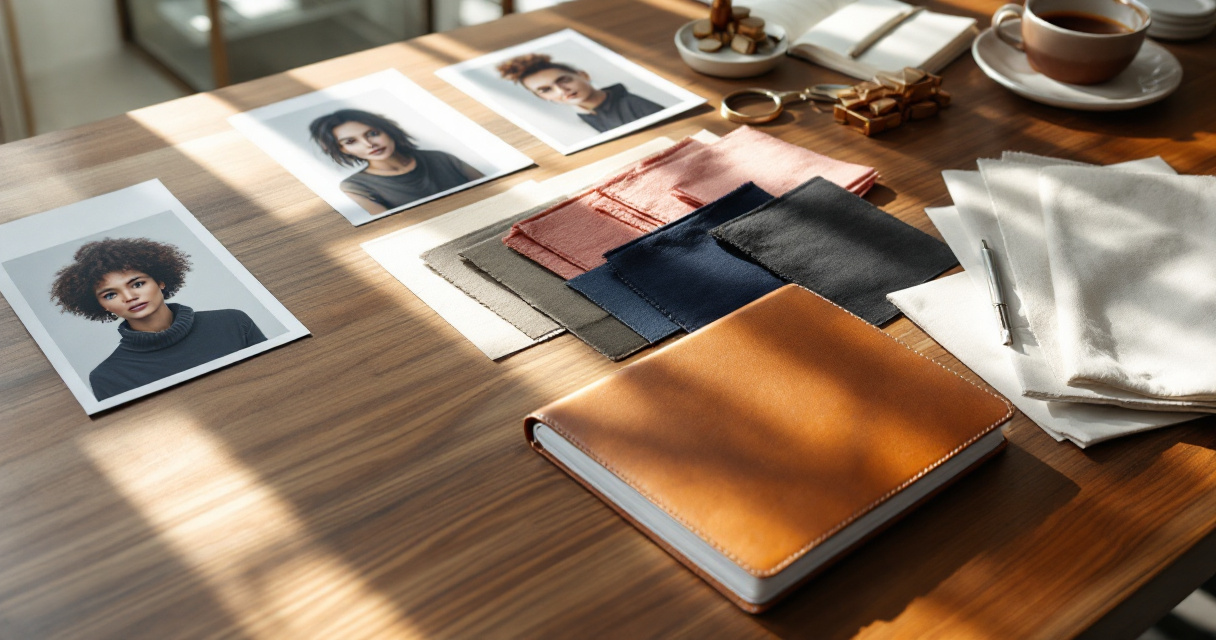
Palette comparison table for different brand goals
| Palette name | Core colors | Best for | Why it works |
|---|---|---|---|
| Executive Calm | Navy, soft white, cool gray | Job seekers, corporate leaders | Clean, familiar, dependable |
| Modern Warmth | Camel, cream, muted brown | Coaches, consultants, founders | Feels polished without looking stiff |
| Creator Clarity | Sage, off-white, muted teal | Educators, creators, wellness brands | Soft but distinct on camera |
| Premium Contrast | Black, ivory, deep olive | Speakers, luxury services, entrepreneurs | Strong contrast, memorable thumbnails |
| Friendly Editorial | Dusty rose, beige, taupe | Personal brands, dating profiles, lifestyle creators | Warm and approachable |
| Tech Minimal | Charcoal, ice gray, blue accent | SaaS founders, remote workers, product teams | Modern and digital-first |
| Bold Signature | Burgundy, soft gray, cream | Authors, coaches, public-facing experts | Gives personality without overpowering skin tones |
How to pick one without overthinking it
Use your audience first, not your favorite color. If people hire you for reliability, a muted palette usually wins. If people follow you for personality, one signature color can help more than a neutral-only setup.
A useful workflow is to create one anchor color, one neutral, and one soft supporting tone. That 3-color setup is easier to repeat across bios, banners, post graphics, and pitch materials, including visual assets like a personal brand pitch deck slide generator.
Best starting ideas by audience
- LinkedIn and resumes: navy, white, gray
- Founder websites: charcoal, cream, olive
- Creators and coaches: sage, ivory, muted teal
- Freelancers and remote workers: warm beige, taupe, soft brown
- Dating apps: earth tones, soft blue, natural white
Using The Looktara Lens for several profile variations can help you compare these directions quickly before locking one in across all channels.
How to match palette, skin tone, outfit, and background
A strong palette on paper can still fail in the final image. AI headshots often go wrong when the background, wardrobe, and skin undertone fight each other. The goal isn't perfect theory. The goal is visual balance.
Start with undertone, not trend
A practical rule works well here:
- Cool undertones often pair better with navy, slate, blue-gray, cool white
- Warm undertones often pair better with cream, camel, olive, rust, warm beige
- Neutral undertones can usually wear either side, but still benefit from one dominant temperature
If your face looks washed out, the palette is probably too close to your skin tone or too low in contrast. If your headshot looks harsh, your whites may be too bright or your accent color too saturated.
Key insight: The best headshot palette usually creates contrast around your face, not competition with it.
Outfit and background pairings that usually work
Instead of choosing everything separately, think in pairs:
- Dark top + light neutral background
- Cream top + muted olive or taupe background
- Soft blue shirt + gray background
- Black blazer + ivory background
- Earth-tone knit + outdoor-style blurred neutral backdrop
Keep the background quieter than the face
Many competitor pages focus on "creative backgrounds," but personal branding headshots rarely need a busy scene. A subtle wall tone, soft gradient, or lightly blurred office setting often works better than a dramatic backdrop. If you're building a full profile refresh, your headshot colors should also fit adjacent graphics like a LinkedIn post visual generator or site hero image.
One more tip: don't force a brand color behind your head if it makes your skin look off. Put the signature color in small accents, text overlays, or surrounding profile assets instead.
### Common palette mistakes to avoid
These show up all the time in AI-generated portraits:
- Over-saturated backgrounds that steal attention from your face
- Too many accent colors, which weakens brand consistency
- Pure white everything, which can feel sterile and flatten features
- Black on black styling, which can hide your outline in thumbnails
- Ignoring platform context, where a good website photo may crop badly on LinkedIn
For multi-platform personal brands, consistency matters more than novelty.
Palette ideas by platform and brand goal
A smart color palette should travel well. Your LinkedIn headshot, website hero, podcast cover, and social thumbnails don't need to be identical, but they should look related. That's where a repeatable palette helps.
Best palette direction for each use case
- LinkedIn: professional neutrals with one soft accent
- Website homepage: your signature palette with slightly more depth
- Podcast or YouTube branding: stronger contrast for smaller screens
- Pinterest and Instagram graphics: warmer, more stylized tones
- Dating profiles: natural outdoor colors, less corporate structure
Build a simple brand kit around your headshot
Once your headshot colors are locked, extend them into your other assets:
- Banner or hero image
- Social quote posts
- Pinterest pins
- Podcast or ebook covers
- Thumbnails and short-form video graphics
That's where the broader Looktara system becomes useful. You can carry your portrait palette into related assets like a website hero image generator, a Pinterest pin design generator, or a podcast cover generator for brand consistency.
A fast audit before you publish your new headshot
Ask yourself these three questions:
- Does the photo still look clear as a small circle or thumbnail?
- Do the colors match my website and social graphics?
- Does the image feel like the version of me I want people to remember?
If the answer is "not really" to any of those, adjust the palette before you update every platform.
What to expect next from AI headshot color styling in 2026 and beyond
The near future here is less about flashy effects and more about system-level consistency. AI headshots are getting tied more closely to full personal brand kits, which means users expect one palette to scale across resumes, creator channels, websites, and ads.
Competitive content already hints at this shift. Huemint positions machine learning around brand palette generation through its AI color palette generator, while newer headshot-focused content discusses background and brand alignment more directly. That suggests a clear direction for 2026 and likely 2027: less one-off image creation, more connected visual identity.
Trends worth watching
- Palette-aware generators that suggest matching backgrounds automatically
- Cross-asset brand systems that connect headshots with posts, banners, and covers
- Softer, less corporate defaults for remote work and creator brands
- More natural skin-tone preservation in AI portrait styling
Why this matters for your brand now
You don't need to wait for the next tool update to benefit. A simple, repeatable palette already puts you ahead of many profiles that use random AI outputs with no visual strategy. That matters because top-ranking content in this space still leaves a gap between "pick a nice background" and "build a recognizable personal brand."
Practical takeaway: Choose a palette you can repeat across 5 to 10 assets, not just one headshot.
Using The Looktara Lens as part of that repeatable process makes more sense than creating a single portrait in isolation, especially if your next step is updating public-facing visuals across channels.
Conclusion
Your best AI headshot color palette is the one that makes you look consistent, clear, and believable across every place people find you. Start with your audience, choose one anchor color plus two supporting tones, then test the result on small screens before you publish it everywhere. If you're ready to turn one good headshot into a full visual identity system, explore The Looktara Lens and pair your portrait direction with matching assets like quote posts, banners, and profile graphics. That way, your next photo won't just look better, it'll work harder for your personal brand.
Generated by EarlySEO.com