
A single camera angle can create a double chin even when one barely exists. In professional headshots, that small shadow under the jawline often becomes the first thing viewers notice. Studies in facial perception research show people form impressions from profile features like jawline definition within milliseconds. The good news is that modern AI editing tools can subtly reshape and smooth the chin area without making a photo look artificial.
The rise of AI portrait editing in 2024–2026 means anyone can refine a headshot quickly. Platforms such as The Looktara Lens now generate professional headshots while intelligently adjusting facial contours, lighting, and skin tone. When paired with the right posing and editing strategies, AI can reduce the appearance of a double chin while keeping your image natural and authentic.
Why Double Chins Appear in Headshots (Even If You Don't Have One)
A double chin forms when soft tissue under the jawline becomes visible in photos. According to anatomical research on the chin, the structure sits at the forward point of the mandible and typically measures between 0.7 cm and 1.1 cm on an adult skull. Slight changes in angle can cause shadows or skin folds to appear more prominent.
Photography exaggerates these features because lenses compress depth and lighting creates contrast under the jaw.
Common Causes in Photos
Several photography factors create the illusion of a double chin:
- Low camera angles that compress the neck area
- Downward head tilt, which folds the skin under the jaw
- Harsh overhead lighting that creates deep shadows
- Wide-angle smartphone lenses that distort facial proportions
Even professional photographers see this effect frequently during headshot sessions.
Why AI Tools Fix This More Naturally Than Manual Editing
Traditional retouching requires detailed masking and liquify tools. AI systems instead analyze facial landmarks and automatically adjust the jawline.
Modern AI portrait editing uses facial landmark detection models trained on thousands of faces, which helps maintain natural proportions while reshaping subtle areas like the chin.
This approach reduces editing artifacts that often appear when people manually reshape their jawline.
Best AI Techniques for Reducing a Double Chin in Headshots
AI editing platforms focus on micro-adjustments rather than dramatic reshaping. Small changes preserve realism and avoid the "over-edited" look.
Top AI Editing Adjustments That Improve Jawlines
The most effective AI features include:
- Facial contour reshaping that gently lifts the jawline
- Shadow balancing to soften dark areas beneath the chin
- Neck smoothing to remove small folds
- Perspective correction that slightly elongates the neck
Using tools like The Looktara Lens simplifies these adjustments because the AI analyzes facial geometry automatically when generating or editing headshots.
AI Headshot Editing Tools Compared
Different editing systems approach double chin reduction differently.
Popular AI Editing Approaches
| Tool Type | How It Works | Best For |
|---|---|---|
| AI Headshot Generators | Generate new portraits using trained models | LinkedIn or resume photos |
| AI Facial Retouch Tools | Detect and adjust facial contours | Small chin corrections |
| Mobile AI Photo Editors | One-click filters for jawline shaping | Quick social media edits |
| Manual Photoshop + AI Plugins | Hybrid editing with AI assistance | Professional photographers |
For professional profiles, AI headshot generators usually produce the most natural results because they re-render lighting and perspective together.
Pre‑Photo Tricks That Reduce Double Chin Before AI Editing
AI works best when the original photo already has strong structure. Small posing adjustments dramatically improve the final result.
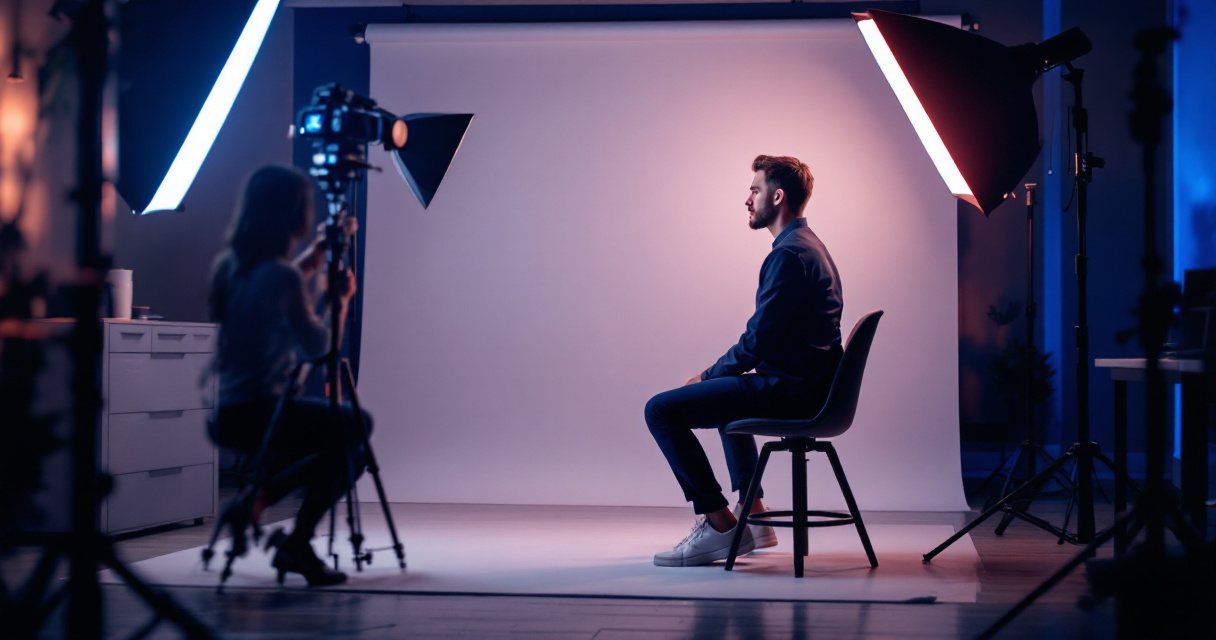
Professional Photographer Jawline Trick
Portrait photographers often use the "forward and down" technique.
- Push your forehead slightly forward.
- Lower your chin a little.
- Lengthen the neck.
This stretches the skin beneath the jaw, reducing folds while sharpening the profile.
Simple Pose Adjustments That Help AI Editors
Before uploading a photo to AI software, try these adjustments:
- Sit or stand with your shoulders back
- Position the camera slightly above eye level
- Use soft front lighting, not overhead light
- Turn your face 10–15 degrees rather than straight forward
These adjustments give AI tools clearer facial structure to work with.
How AI Headshot Generators Automatically Improve Jawlines
Modern AI headshot systems do more than edit a photo. Many generate a new portrait using trained models that reconstruct facial features in a balanced way.
When generating professional portraits, platforms like The Looktara Lens analyze several visual elements simultaneously:
- facial landmarks
- lighting direction
- depth perception
- skin texture
Because the system builds the image from these layers, the jawline often appears more defined without obvious retouching.
Professionals creating branded visuals often combine headshots with other AI graphics. For example, entrepreneurs frequently generate profile photos alongside assets such as a LinkedIn post graphic created with AI or a website hero image for personal branding.
Video Example: AI Photo Editing Techniques
AI Editing Techniques in Action
Many modern AI tools automate these retouching steps in seconds instead of requiring complex manual editing.
Subtle Editing Tips That Keep Your Headshot Natural
Over-editing is the most common mistake when trying to remove a double chin. Aggressive adjustments often distort facial proportions.
Signs Your AI Edit Went Too Far
Watch for these problems:
- Jawline looks unnaturally sharp
- Neck becomes too thin
- Chin shape changes dramatically
- Skin texture disappears completely
Professional headshots should still resemble the real person.
Best Practice Settings for AI Jawline Editing
Experts recommend gradual changes.
Recommended Adjustment Ranges
| Adjustment Type | Ideal Range | Why It Works |
|---|---|---|
| Jawline lift | 5–15% | Keeps facial proportions natural |
| Neck smoothing | 10–20% | Removes folds without blurring skin |
| Shadow reduction | 10–25% | Softens double chin appearance |
| Perspective adjustment | Small tilt | Lengthens neck slightly |
Subtle edits often look more professional than dramatic changes. Small improvements can completely transform how confident a headshot appears.
AI Headshots for Professional Profiles and Personal Branding
Headshots are no longer limited to LinkedIn. Professionals now use AI-generated portraits across many digital platforms.
AI editing helps maintain a consistent brand image while improving facial presentation.
Where AI-Optimized Headshots Work Best
Professionals often use AI headshots in:
- LinkedIn profiles
- resume photos
- podcast covers
- startup pitch decks
- personal websites
You can pair a polished headshot with assets such as a YouTube thumbnail generator for creators or a professional podcast cover created with AI.
Creating a Complete Personal Brand Image Set
Content creators often generate multiple visuals around the same portrait, including a Pinterest pin graphic for marketing or social graphics. This keeps profile photos, thumbnails, and promotional visuals visually consistent.
What AI Headshot Editing Will Look Like by 2027
AI portrait tools are evolving quickly. Several trends already appeared in 2025–2026 and will likely expand further.
Emerging AI Portrait Technology
Researchers and startups are developing:
- 3D facial modeling for more accurate jawline reshaping
- real-time AI retouching in cameras
- identity-preserving AI models that prevent over-editing
- pose correction AI that adjusts head angle automatically
These systems will make issues like double chins easier to fix without noticeable editing.
AI and Ethical Photo Editing
As AI editing improves, authenticity matters more. Professional platforms increasingly focus on realistic enhancement instead of dramatic modification.
According to recent AI media studies published through OpenAlex-indexed research in 2024, users trust professional images more when edits remain subtle and identity-preserving.
Conclusion
A double chin in photos usually comes from angles, lighting, or lens distortion rather than actual facial structure. The combination of smart posing, balanced lighting, and modern AI editing can correct it quickly while keeping your photo authentic.
Start by capturing a strong base image using proper camera angles. Then apply subtle AI adjustments to refine shadows and jawline contours. Platforms like The Looktara Lens simplify the process by generating professional headshots with natural facial balance already built in.
If you want a sharper, more confident profile for LinkedIn, resumes, or personal branding, try generating a new AI portrait and compare it with your current photo. A small upgrade in your headshot can make a big difference in how people perceive you online.