
A single blink can ruin an otherwise perfect headshot. Photographers often capture dozens of frames to avoid it, yet closed eyes still slip into professional photos used on LinkedIn, resumes, and dating profiles. New AI editing tools now fix this problem in seconds by generating realistic open eyes that match the subject's face and lighting. Platforms such as The Looktara Lens combine generative AI with portrait editing tools so you can repair headshots or even generate new professional images when a photo goes wrong. This guide explains how AI headshot eyes closed photo fixes work, when they look natural, and how to get the best results in 2026.
Why Closed Eyes Ruin Professional Headshots
Blinking happens faster than most cameras capture frames. Research on human eye blinking shows the average blink lasts about 100–150 milliseconds, meaning even high-speed smartphone cameras can easily miss an open-eye moment. That tiny timing issue is why photographers often take dozens of shots during a portrait session.
Professional headshots rely heavily on eye contact and expression. Recruiters, clients, and social media audiences subconsciously judge confidence and trustworthiness from facial cues. Closed eyes remove that signal completely.
According to portrait photography research cited by the American Society of Media Photographers, eye contact significantly increases perceived credibility and approachability in professional images.
For modern online profiles, this matters even more. Image-sharing platforms and professional networks prioritize profile photos where the subject appears engaged and alert.
Common scenarios where closed eyes ruin photos include:
- LinkedIn profile photos taken quickly on a phone
- Group photos where someone blinks at the wrong moment
- Studio headshots where lighting causes reflex blinking
- AI-generated portraits where the model misrenders facial features
When a perfect photo is ruined by a blink, AI editing tools provide a faster alternative to retaking the entire shoot.
How AI Fixes Closed Eyes in Photos
AI image editing tools rely on deep learning facial reconstruction models. These systems analyze thousands or millions of portrait images to learn how human eyes appear from different angles, lighting conditions, and expressions.
Modern portrait AI systems use techniques similar to generative models like GANs and diffusion networks. Instead of copying another image directly, the AI predicts what open eyes should look like based on the surrounding facial features.
Core Technologies Behind AI Eye Fixing
- Facial landmark detection identifies eyelids, eyebrows, and eye sockets.
- Generative image synthesis creates realistic open-eye textures.
- Context-aware editing ensures the new eyes match lighting and shadows.
- Expression alignment keeps the face looking natural.
Many AI editors now perform eye correction as part of automated portrait retouching pipelines, meaning the fix happens instantly after upload.
For example, creators generating professional portraits using tools like The Looktara Lens can correct common issues such as blinking, poor lighting, or awkward expressions before publishing the image online.
These models have improved rapidly since 2023. Earlier tools often produced unnatural "copy-paste" eyes, while 2026 AI models adapt to subtle facial asymmetry and lighting direction.
Step-by-Step: Fixing a Closed-Eye Headshot With AI
Most modern tools follow a similar process. You upload the image, let the AI detect the problem, and export the repaired photo.
Simple Workflow Used by Most AI Eye Editors
- Upload your headshot or portrait photo.
- The AI scans the face and detects closed eyelids.
- The system generates open eyes that match facial structure.
- You preview the result and adjust intensity if needed.
- Download the corrected image.
Best Practices for Better Results
- Use high-resolution images when possible.
- Avoid photos where the entire eye area is heavily shadowed.
- Choose images where your face is facing the camera.
- Review results carefully for symmetry.
Many professionals combine AI eye fixes with other visual edits. For example, marketers might repair a portrait and then design supporting visuals using tools such as a YouTube thumbnail AI generator for Shopify brands or create promotional graphics alongside their profile imagery.
This approach keeps visual branding consistent across platforms.
AI Tools That Repair Blinking Eyes in Portraits
Several AI photo editors introduced eye-repair tools between 2023 and 2025. Competitor tools such as Evoto AI, Monet AI, and PiktID highlight automated "open eyes" features that work with portrait photos.
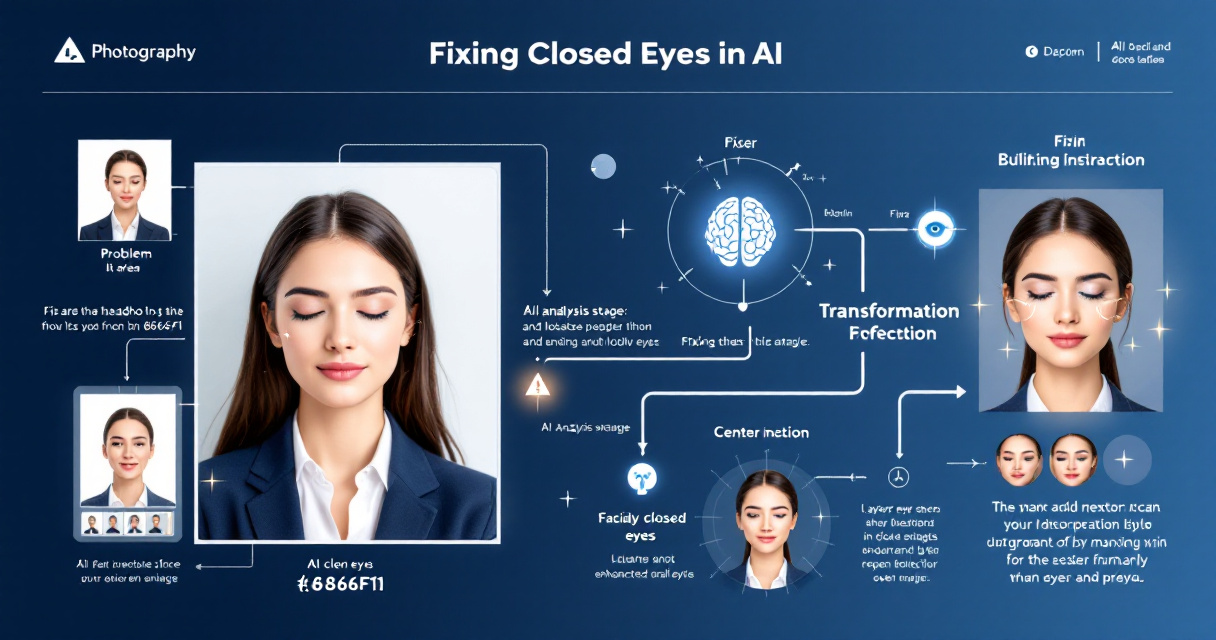
Popular AI Eye-Fixing Tools Compared
| Tool | Key Feature | Best Use Case |
|---|---|---|
| Evoto AI | One-click eye opening | Studio photography editing |
| Monet AI | Automatic facial repair | Social media portraits |
| PiktID | AI face enhancement | Influencer content |
| The Looktara Lens | AI-generated and repaired headshots | Professional branding images |
Most of these tools follow similar AI pipelines. The difference lies in how realistic the generated eyes look and how well lighting is preserved.
Using platforms like The Looktara Lens platform also helps when the original photo cannot be fully repaired. Instead of just editing, the AI can generate new professional portraits that maintain natural facial identity.
Creators also pair portrait fixes with other assets, such as a LinkedIn post AI generator for professional branding to keep their personal brand visuals consistent.
Watch: Common Portrait Editing Mistakes
Even professional editors encounter blinking, skin texture artifacts, and lighting issues. AI tools now automate many of these fixes, but understanding the underlying editing process helps you recognize when results look unnatural.
When AI Eye Fixes Look Natural, And When They Don't
AI corrections can look extremely convincing, but results depend heavily on the original image quality.
Situations Where AI Eye Fixing Works Well
- Headshots with clear facial features
- Front-facing portraits
- High-resolution images
- Natural lighting conditions
Situations That Often Cause Problems
- Sunglasses or partially hidden eyes
- Extreme head angles
- Heavy motion blur
- Very low-resolution images
AI works best when it can clearly detect facial landmarks. If eyelids or eyebrows are hidden, the system has less information to reconstruct realistic eyes.
If your photo falls into these problematic categories, generating a new AI portrait using The Looktara Lens may produce better results than attempting to repair the original image.
Many professionals also design supporting visuals alongside their headshots, such as a Pinterest pin AI generator for brand graphics or promotional artwork for social media campaigns.
Advanced Portrait Editing Tips for AI-Generated Headshots
Fixing blinking eyes is only one part of creating a strong professional headshot. Small visual details influence how viewers interpret the image.
Key Portrait Improvements Often Paired With Eye Fixes
- Skin smoothing with realistic texture
- Color correction for natural tones
- Lighting balance across the face
- Background simplification
Visual Example: Avoiding Artificial Skin Effects
Modern portrait tools often automate these corrections together. For example, after repairing a blinking photo, creators might design a professional website hero image using an AI generator to feature the same headshot across their personal site.
Combining portrait repair with branding assets keeps visual identity consistent across LinkedIn, personal websites, and marketing materials.
What AI Portrait Editing Will Look Like by 2027
AI portrait tools are evolving rapidly. Several trends already emerging in 2026 suggest where eye-correction technology is heading next.
Emerging AI Portrait Editing Capabilities
- Real-time camera correction that opens blinking eyes during capture
- Multi-frame reconstruction, combining several photos into one perfect portrait
- Identity-consistent AI generation trained on a user's previous photos
- Context-aware editing that adjusts expression based on intended platform
Researchers in computer vision continue improving facial reconstruction models that can predict missing facial features more accurately. These models already appear in advanced diffusion image generators.
For professionals who rely on online presence, this means portrait mistakes like blinking may soon disappear entirely from the editing workflow.
Conclusion
Closed eyes no longer mean a ruined headshot. AI editing tools can reconstruct natural-looking eyes, restore expressions, and help you reuse photos that once seemed unusable. The key is starting with a clear image, using a reliable AI portrait editor, and reviewing the result carefully before publishing.
If you regularly need professional images for LinkedIn, websites, or content marketing, tools like The Looktara Lens make the process even easier. You can fix blinking photos, generate new headshots, and create supporting visuals for social media and branding in one place.
Upload your next portrait, test an AI eye fix, and see how quickly a simple blink can turn into a polished professional photo.