
Your headshot often speaks before you do, and for insurance agents, that first impression can affect trust, response rates, and profile clicks. Insurance is broadly defined as protection from financial loss in exchange for a fee, according to Wikipedia's overview of insurance, so your photo needs to signal reliability as much as professionalism. In 2026, AI headshots are popular because they're fast and cheaper than a studio session, but speed alone isn't enough. A polished image must still look like you. That's where tools such as The Looktara Lens fit in, helping agents create profile-ready visuals for LinkedIn, websites, and marketing assets without the usual scheduling hassle.
Why AI headshots matter more for insurance agents than for many other professionals
Insurance is a trust-first business. Clients may compare agents online before requesting a quote, and your headshot can influence whether you seem approachable, competent, and current. For local agents, independent brokers, and agency owners, a dated or low-quality photo can weaken a strong value proposition.
A good AI headshot works best when it supports the rest of your brand. Your LinkedIn banner, website hero image, and social posts should all feel visually aligned. If you're updating your profile photo, it also makes sense to refresh supporting assets like a LinkedIn post visual generator or a website hero image tool so your presence looks intentional across channels.
Key takeaway: An insurance headshot is not just a photo. It's part of your credibility package.
What clients usually read from a profile photo
Clients rarely say, "I chose this agent because of the headshot," but they do react to signals such as:
- Professionalism
- Warmth and approachability
- Attention to detail
- Relevance, meaning the image looks current, not 10 years old
- Consistency with the rest of your online brand
Where AI helps the most
AI headshot tools are useful when you need a better image quickly for:
- LinkedIn and broker directories
- Agency team pages
- Quote-request landing pages
- Conference bios and speaker cards
- Email signatures and social media profiles
For job-seeking agents or professionals changing firms, a dedicated resume headshot AI generator can also support applications and recruiter outreach.
Why first impressions hit harder in financial services
Insurance products can feel abstract until a claim happens. Because the service is tied to risk, money, and future protection, buyers often judge the person before they judge the policy details. A sharp headshot won't replace expertise, but it can remove friction from the first step.
What makes an AI headshot believable, polished, and client-friendly
The best AI headshots for insurance agents don't look overly glamorous or synthetic. They look like a strong version of a real workday portrait. That means clean lighting, realistic skin texture, simple wardrobe choices, and expressions that suggest confidence without stiffness.

The image traits that usually work best
For most insurance agents, the safest style choices are:
- Neutral or softly blurred office-style backgrounds
- Business or business-casual clothing that matches your market
- Natural smile or calm expression
- Eye contact with the camera
- Minimal retouching
- Cropping that centers your face and upper shoulders
Headshot styles by use case
| Use case | Best style | What to avoid |
|---|---|---|
| LinkedIn profile | Clean, neutral, approachable | Heavy beauty filters |
| Agency website | Consistent team style | Mismatched backgrounds across staff |
| Independent broker branding | Slightly more personality, still polished | Fashion-style poses |
| Speaking events | Confident, crisp contrast | Casual selfies |
| Dating or lifestyle crossover profiles | More relaxed but accurate | Corporate stiffness if it feels unnatural |
A practical rule for wardrobe and framing
If you sell life, home, auto, commercial, or Medicare products, your audience probably expects visual stability more than visual flair. Solid colors tend to work better than busy patterns. Mid-shot framing, face and upper torso, often gives the right balance between personable and professional.
Using The Looktara Lens during this stage can help you test multiple clean, business-ready looks before picking the one that fits your client base. If you're also refreshing brand visuals, a matching logo AI generator for your visual identity can help keep the whole presentation consistent.
How to avoid the "AI look" that hurts trust
Some AI portraits fail because they smooth away human detail. Watch for unnaturally perfect teeth, overly symmetrical features, strange hands, warped collars, or backgrounds with odd lines. If a client pauses because the image feels fake, the headshot has already lost some value.
Privacy, consent, and compliance issues insurance agents should not ignore
AI headshots are convenient, but image tools raise real privacy questions. A 2024 survey in IEEE Access on privacy and security concerns in generative AI examined risks tied to data handling, security, and misuse in generative systems. For insurance agents, that matters because your professional image is business data, not just a casual upload.
Another useful perspective comes from Miceli and Posada's 2022 ACM paper on data production, which looked at how data systems are created and structured. While it's not about headshots alone, it's a reminder that AI outputs depend on the data practices behind the tool.
Key takeaway: Before you upload selfies, check how the platform stores, uses, and deletes image data.
Questions to ask before using any AI headshot tool
- Does the platform explain data retention clearly?
- Can you delete uploaded photos and generated outputs?
- Are your images used for further model training, or can you opt out?
- Can you use the final headshot commercially on your website and marketing materials?
- Does the result stay close to your real appearance?
Smart guardrails for insurance teams
If you manage an agency, create a simple policy:
- Use only approved tools
- Require recent source photos
- Ban edits that materially change age, body shape, or facial structure
- Keep naming, cropping, and background standards consistent across the team
- Review final headshots before publishing
This is also where the The Looktara Lens platform can be useful, because teams often need a repeatable process rather than one-off experiments. If your agents are building marketing materials beyond headshots, a pitch deck slide AI generator can also support recruiting decks, product overviews, and local presentations.
Why realism matters more than perfection in regulated industries
Insurance isn't the place for fantasy edits. If your headshot creates a mismatch between online expectation and real-life appearance, trust can drop fast. Mild cleanup is fine. Identity drift is not.
How to get better AI headshots from ordinary selfies
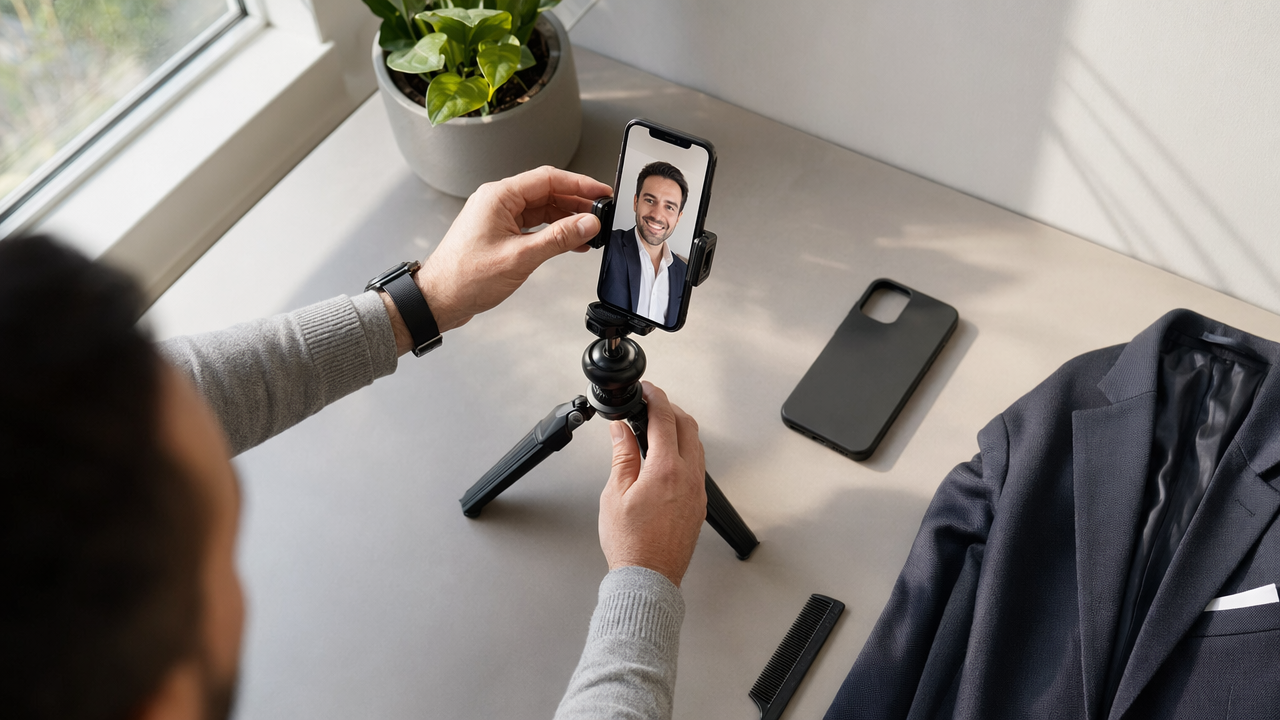
Most disappointing AI headshots start with weak inputs. You don't need studio gear, but you do need variety, decent light, and honest source photos. Better inputs usually mean fewer strange outputs and less editing time.
A simple photo capture checklist
Take 10 to 20 source photos with these basics:
- Face the camera in natural window light
- Use a plain background for at least a few shots
- Include slight angle changes, not just one identical pose
- Wear clothing similar to your work style
- Keep glasses on in some photos if you wear them often
- Avoid hats, heavy filters, and group shots
- Use current photos, ideally from the last year
What to review before publishing
After the images generate, inspect details closely:
- Eyes point naturally and evenly
- Teeth and ears look realistic
- Hairline matches your real look
- Lapels, collars, and jewelry are not distorted
- Skin texture looks human, not plastic
- The image still resembles you on a normal day
Best places to use your finished image
Once you've chosen a final version, apply it across the places prospects actually check:
- LinkedIn profile and banner area
- Agency bio page
- Google Business or local profile where relevant
- Webinar registration pages
- Email signature and newsletter author box
- Quote graphics and educational posts
If you create thought-leadership posts, pairing your new headshot with a quote post AI generator for social content can help keep your profile active without starting from scratch each time.
A fast review method for solo agents
Ask two people who know you well to compare your AI headshot with a candid phone photo. If both say the headshot looks like you on a very good day, not a different person, you're probably close to the mark.
What to expect from AI headshots for insurance agents in 2027
AI image systems are moving toward better context handling and more detailed multimodal understanding. The 2024 paper Gemini 1.5: Unlocking multimodal understanding across millions of tokens of context points to the broader direction of AI systems that can interpret richer combinations of text, image, and context. For headshots, that likely means better consistency across poses, branding prompts, and use-case-specific outputs.
Still, better generation won't remove the need for judgment. Insurance agents will probably see three trends in 2027:
- Tighter brand consistency across headshots, banners, website images, and social assets
- Stronger scrutiny of authenticity, especially in regulated or trust-sensitive fields
- More privacy controls as buyers become less comfortable with vague image-data policies
Where AI headshots may improve next
- Better handling of glasses, hair texture, and age realism
- More reliable business wardrobe rendering
- Easier multi-format outputs for LinkedIn, websites, and speaking bios
- Cleaner agency-wide style matching for team pages
What likely won't change
Clients will still respond to honesty. A headshot that looks current, calm, and human will keep beating one that looks flashy but fake. That's why using The Looktara Lens as part of a full visual workflow can be more useful than chasing novelty alone. If you want your profile image to connect with short-form content too, tools like a YouTube thumbnail AI generator can extend that same professional look into educational video marketing.
The smartest approach for agents who want to stay current
Update your headshot when your appearance changes, your brand shifts, or your current photo starts looking dated next to newer competitors. For most agents, that means reviewing profile imagery at least once a year, even if you don't replace it every year.
Conclusion
A strong AI headshot for insurance agents should do one job well: help people trust you faster. That means choosing realism over glamour, checking privacy terms before uploading photos, and using the final image consistently across LinkedIn, your website, and client-facing materials. If you're ready to refresh your profile, start with recent selfies, review every output carefully, and build a full visual system around the photo instead of treating it as a one-off asset. For a faster, brand-aware way to do that, try The Looktara Lens and pair your new headshot with matching marketing visuals that support how clients find and judge you online.
Generated by EarlySEO.com