
Your headshot often gets judged before your product thinking does. For a product manager, a role responsible for the development of products and ownership of product strategy in an organization, first impressions matter on LinkedIn, resumes, company pages, and speaker bios. That's why more PMs are turning to AI-generated portraits to get a faster, lower-cost update without booking a studio shoot. Used well, an AI headshot can signal trust, clarity, and leadership. Used badly, it can look generic or overly polished. Platforms like The Looktara Lens aim to close that gap by helping professionals create profile-ready images that feel sharp but still human. If you're also updating your full career stack, pairing your photo with a resume headshot AI generator and a polished LinkedIn post AI generator can keep your brand consistent across touchpoints.
Why product managers need a different kind of AI headshot
A PM isn't selling glamour. You're signaling judgment, cross-functional leadership, and calm under pressure. That changes what a good headshot should look like.
Recruiters, founders, and hiring managers usually see your photo at small sizes first, especially on LinkedIn and internal company tools. So the best image for a PM is rarely the most dramatic one. Clean framing, natural expression, and believable lighting tend to work better than heavy retouching or startup-bro theatrics.
Key takeaway: A product manager headshot should balance authority with approachability. If you look too stiff, you seem distant. If you look too filtered, you seem less trustworthy.
PMs also appear in more places than many professionals realize:
- LinkedIn profiles
- Resume headers and personal websites
- Company team pages
- Conference bios and webinar thumbnails
- Pitch decks for internal buy-in or startup fundraising
That's why your photo should work beyond one platform. If you're building a broader professional presence, tools like a pitch deck slide AI generator or a website hero AI generator can help you carry the same visual identity into your public-facing materials.
From a tech perspective, AI image quality improved fast after the rise of multimodal models. Research related to large multimodal systems, such as Gemini 1.5: Unlocking multimodal understanding across millions of tokens of context, reflects how quickly AI systems have advanced in handling complex visual and contextual inputs. That doesn't mean every AI headshot is good, but it does explain why 2026 outputs can look much more usable than early versions from a few years ago.
### What hiring teams often read from your photo
Your image quietly answers a few questions before anyone reads your experience:
- Do you look credible enough to lead a roadmap discussion?
- Do you seem approachable enough to work across design, engineering, and leadership?
- Do you look current, or like your profile hasn't been touched in years?
A strong AI headshot supports those signals without stealing attention from your actual work.
How to choose the right AI headshot style for LinkedIn, resumes, and team pages
Not every polished portrait fits a PM brand. The right style depends on where the image will be used and what kind of company you want to attract.
Best use-case table for product manager headshots
| Use case | Best look | What to avoid |
|---|---|---|
| LinkedIn profile | Neutral background, direct eye contact, slight smile | Overly dramatic shadows, extreme blur |
| Resume header | Tight crop, clean wardrobe, simple lighting | Busy backgrounds, fashion-first styling |
| Startup team page | Warm expression, relaxed but tidy styling | Stiff corporate pose that feels outdated |
| Speaker bio | Higher contrast, confident posture, crisp framing | Heavy beauty filters, unrealistic skin texture |
| Personal website | Slightly more branded and creative | Over-editing that clashes with professional tone |
A few style rules work especially well for PMs in 2026:
- Wear what you'd actually wear in a stakeholder meeting
- Keep the background simple and distraction-free
- Choose expressions that look attentive, not frozen
- Prefer realistic skin texture over airbrushed perfection
- Use one main headshot across platforms, then crop variants for each use
For public-facing branding beyond LinkedIn, you may also want supporting visuals. A clean logo AI generator or a matching X post AI generator can make a solo consultant or fractional PM brand look more put together.
Matching your company stage and target role
A PM applying to a big enterprise team should usually choose a more conservative image: neutral colors, centered framing, plain background. A startup PM can go a little warmer and more casual, but "casual" still needs structure.
If you're trying to move into senior product, principal PM, or head of product roles, your image should look steady and current. That often means less trend-chasing and more clarity.
Quick rule: If someone can tell your photo is AI in the first second, it probably needs another pass.
### Wardrobe and background choices that usually work
The simplest combinations are often best:
- Solid navy, charcoal, black, white, or muted earth tones
- Blazers, button-downs, quality knit tops, or simple professional layers
- Neutral office, soft gray, off-white, or lightly blurred backgrounds
Avoid loud patterns, novelty backdrops, and "luxury office" scenes that look fake.
Common AI headshot mistakes that make PMs look less credible
Most bad AI headshots fail in predictable ways. The image might be technically sharp but socially off.
One problem is over-optimization. The face looks too symmetrical, the skin too smooth, and the teeth too bright. For a PM, that can create distance instead of trust. Another issue is mismatch: the photo suggests a formal executive persona, but your profile headline says early-career associate PM.
Signs your AI headshot needs replacing
- Your eyes look glassy or uneven
- Hair, ears, glasses, or collars distort at the edges
- Skin texture looks plastic
- The pose feels unnaturally stiff
- Your image looks ten years younger than you do in real life
- Different platform photos make you look like different people
These issues matter because visual data never exists in a vacuum. Research such as The Data-Production Dispositif examines how data systems are shaped by human choices, labor, and context. In plain terms, AI outputs reflect the material they were trained on and the instructions users provide. So if your prompts, source photos, or style choices are weak, the result will be weak too.
Why authenticity matters more in 2026
People are getting better at spotting synthetic imagery. That doesn't mean you should avoid AI. It means your output should look plausible and aligned with your real appearance.
A useful standard is this: if a coworker met you on Zoom after seeing your headshot, would they recognize you right away? If not, the image is more branding fantasy than professional asset.
Security and surveillance research also shows how much visual systems now depend on image interpretation and classification. A 2023 review in Electronics on video surveillance systems in smart cities highlights how advanced computer vision has become in real-world environments. For professionals, that's another reminder that images are increasingly machine-readable as well as human-readable, so clarity and realism matter.
### A practical self-check before you publish
Before uploading your headshot, ask three people:
- Does this look like me right now?
- Does this look professional but approachable?
- Would this fit a PM at the kind of company I want?
If you get hesitation on any answer, revise before posting.
How to get a better AI headshot result with The Looktara Lens
The best outputs usually come from better inputs. That means you should treat AI headshot generation like product work: define the goal, improve the prompt, and review the result against real user expectations.

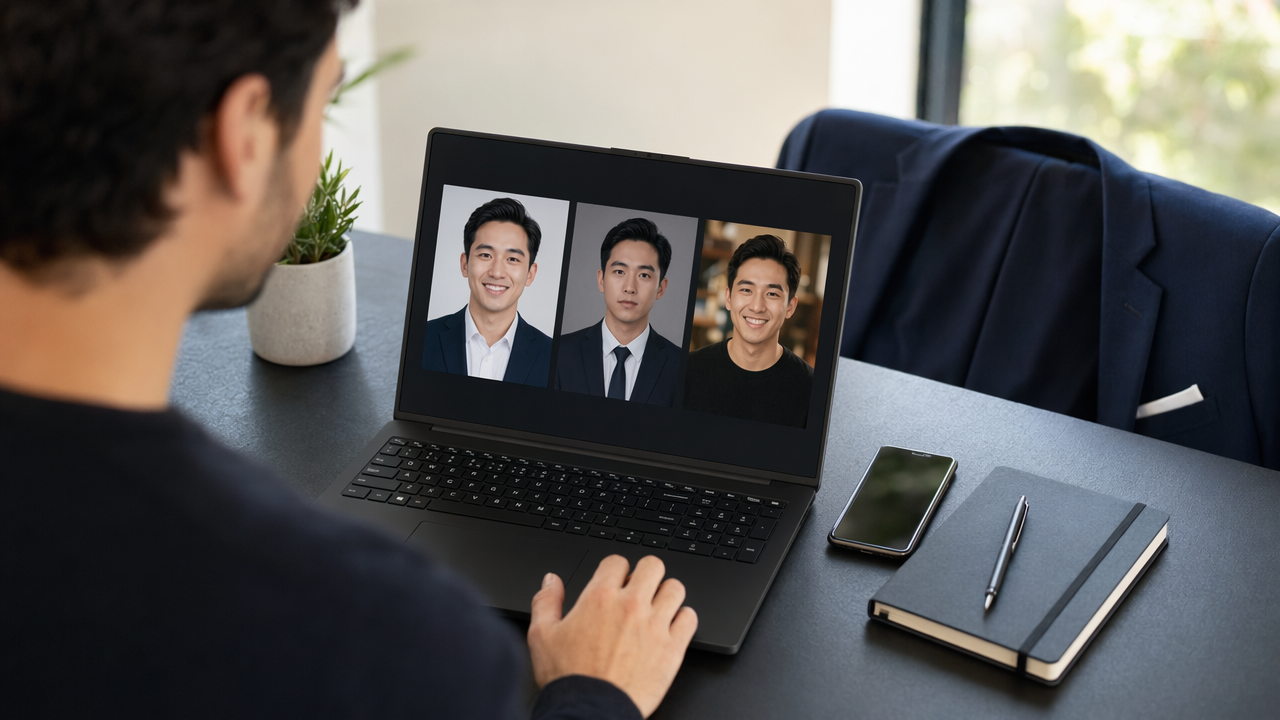
Using The Looktara Lens, start with your actual target. Are you updating LinkedIn for a job search, refreshing a team page, or preparing for conference speaking? One goal is easier to optimize than five at once.
A simple workflow that works for most product managers
- Pick your primary use case, usually LinkedIn.
- Gather clear source photos with varied angles and natural light.
- Choose wardrobe styles that match your target role.
- Generate several realistic variations, not just one.
- Compare them at thumbnail size and full size.
- Ask for feedback from people who work with PMs.
- Export platform-specific crops for LinkedIn, resumes, and websites.
This process sounds basic, but it fixes the main problem with AI portraits: people accept the first "pretty" output instead of the most believable one.
What to optimize for instead of perfection
When using The Looktara Lens, prioritize:
- Recognizability
- Natural skin texture
- Clear eye contact
- Balanced lighting
- A background that doesn't distract
- Crops that still work on mobile
You can then extend that identity into other content assets. For example, a PM building a personal brand might pair the headshot with a quote post AI generator for thought leadership or a YouTube thumbnail AI generator if they publish product breakdowns online.
Best practice: Review your AI headshot at 100 percent size and as a tiny circle thumbnail. LinkedIn viewers often see the tiny version first.
### Prompting tips for a stronger PM-style result
Use plain-language direction instead of flashy adjectives. Good prompt elements include:
- Professional product manager headshot
- Natural expression and realistic skin
- Clean neutral background
- Soft studio lighting
- Modern but believable business-casual wardrobe
- Suitable for LinkedIn and company team page
Short, specific instructions usually beat overloaded prompts.
What to expect next from AI headshots for professionals
AI headshots are moving from novelty to standard workflow. In 2026, the useful question isn't "AI or not?" but "Does this image accurately represent me and fit the job I want?"
Over the next year, expect tools to improve in three areas:
- Better consistency across multiple poses and crops
- More realistic handling of hair, hands, glasses, and fabric
- Easier brand matching across headshots and other profile assets
That matters for PMs because your personal brand rarely lives in one place. You may need one image for LinkedIn, another for an internal directory, a cropped version for a newsletter, and supporting visuals for talks, advisory work, or side projects.
Where human judgment still wins
AI can generate options fast, but humans still make the final call on trust. You know whether an image feels like the version of you who can lead a roadmap review, align stakeholders, and present clearly to execs.
A smart approach for 2026 is to use AI for speed, then edit with restraint. Keep the image close to reality. Update it when your role, style, or market positioning changes.
If you're refreshing your whole professional presence, think beyond the headshot. Your image should align with your headline, experience story, portfolio, and the content you publish. That's where a platform approach, not a one-off image tool, starts to make more sense.
### When to update your headshot again
Refresh your headshot when:
- You changed industries or role level
- Your appearance changed noticeably
- Your current image is more than a few years old
- You're launching consulting, speaking, or founder-facing work
- Your photo quality is clearly behind current standards
You don't need a new image every few months. You do need one that matches where your career is now.
Conclusion
A good AI headshot for product managers does one job well: it makes you look credible, current, and easy to trust. That means realistic lighting, a professional but natural wardrobe, and a result that still looks like you on LinkedIn, resumes, team pages, and speaker bios. If your current image feels outdated or overly filtered, now is a good time to fix it.
Start with one clear use case, review outputs critically, and choose believability over perfection. If you want a faster way to create a polished, profile-ready image and keep the rest of your professional branding aligned, try The Looktara Lens. Then round out your presence with a resume headshot tool, a LinkedIn content generator, and a pitch deck slide creator. Your next role may start with one small profile photo, so make it count.
Generated by EarlySEO.com