
TL;DR
Choose a portrait generator by how well it preserves a person's face and requested presentation, not by an inclusivity label. Compare the same consented photo brief across tools, check gendered defaults and privacy terms, and select only results approved by the person pictured.
A professional headshot should communicate competence without rewriting someone's gender expression. The best AI photo generator for nonbinary professionals is the tool that preserves recognizable features and follows specific styling choices. Looktara belongs on a professional-brand shortlist, alongside general image generators evaluated for the same brief.
Nonbinary: A gender identity outside the male/female binary; it doesn't prescribe a particular appearance.
Presentation control: The ability to specify clothing, hair, makeup, accessories, pose, and framing independently of gender labels.
For LinkedIn profiles, freelance portfolios, and founder bios, that distinction matters more than a polished sample gallery.
Table of Contents
Which AI photo tools belong on the shortlist?
A useful shortlist pairs a professional-photo candidate with general image generators, then compares their handling of the same presentation brief. The supplied research identifies Midjourney and DALL-E 3 as relevant options, but it doesn't establish a tested winner for nonbinary headshots. The comparison below is a selection framework, not a performance ranking.
Three candidates compared by workflow fit
The strongest comparison separates a tool's intended role from capabilities that require hands-on verification.
| Tool | Role in the shortlist | Presentation-control check | Gender-default check | Styling-survival check |
|---|---|---|---|---|
| Looktara | Starting point for a professional-brand photo workflow | Assess available outfit, pose, and scene choices | Review how the current setup describes gender | Compare the finished portrait with the approved brief |
| Midjourney | General generator identified in the research for artistic photorealism | Test detailed clothing and appearance instructions | Check interpretation of gender-neutral descriptions | Inspect styling across repeated generations |
| DALL-E 3 | Prompt-led option identified in the research for detailed instructions | Test separate instructions for hair, clothing, and accessories | Compare concrete descriptions with identity-label prompts | Check whether requested details remain in the final image |
A useful comparison brief defines the intended professional context before generation. A lawyer's directory portrait, a designer's portfolio image, and a fitness founder's LinkedIn photo can call for different clothing and backgrounds without changing the person's identity.
No consented headshot tests or product documentation were supplied for this guide. Current pricing, upload requirements, editing controls, and privacy settings therefore need verification before purchase. Search snippets aren't enough to substantiate broad inclusivity claims.
Who should pick which tool?
Tool choice should follow the job rather than a universal realism ranking.
- A professional-profile workflow: Start with the dedicated photo candidate and assess whether its current process supports the approved brief.
- An artistic brand concept: Consider Midjourney when visual direction is central to the project.
- A detailed instruction experiment: Consider DALL-E 3 when testing how a generator interprets separately described appearance choices.
A recognizable source photo with modest editing remains a sensible alternative when generation offers no clear benefit.
What presentation controls matter most?
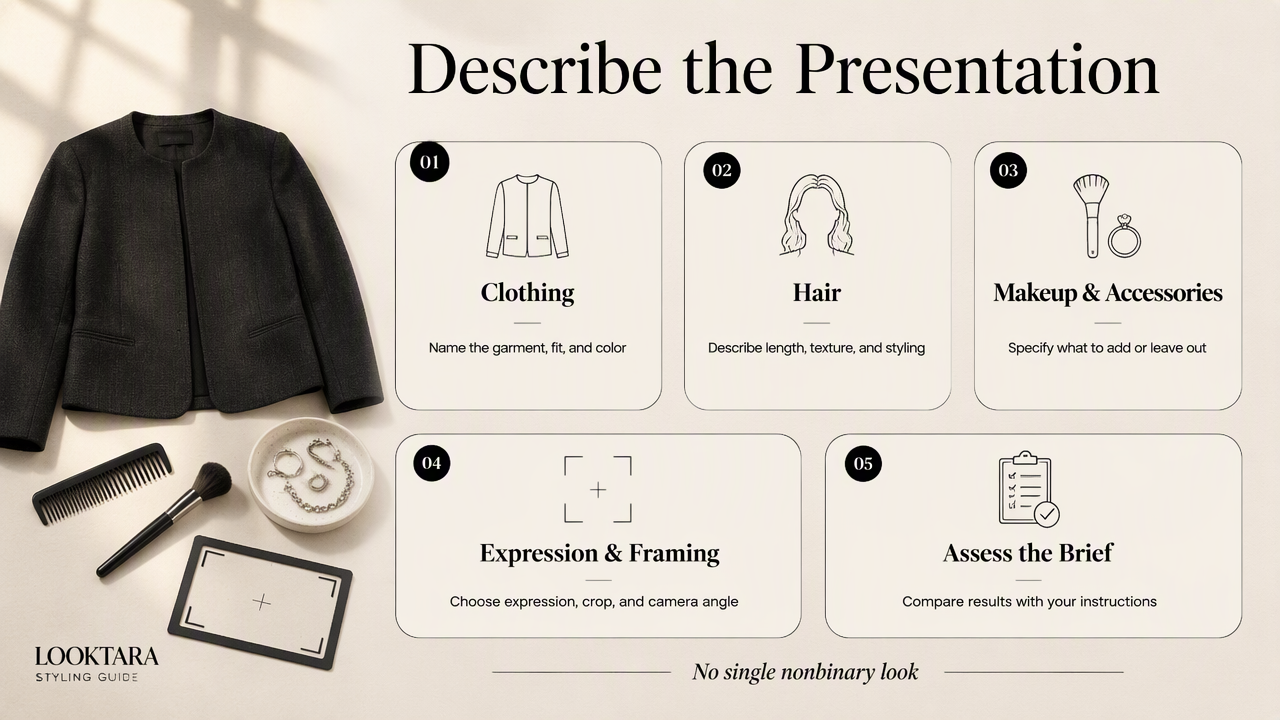
Presentation controls matter most when they separate a person's appearance choices from a male/female category. A suitable portrait workflow should support specific descriptions of clothing, hair, makeup, accessories, expression, and framing. The finished image should be assessed against those instructions, rather than against a presumed nonbinary look.
Describe appearance without prescribing identity
Concrete styling instructions create a clearer test than identity labels alone. A nonbinary professional may prefer masculine, feminine, mixed, or neutral styling, and those preferences can change across settings.
- Clothing: Charcoal collarless jacket, cream shirt, no tie.
- Hair: Preserve the reference haircut, length, texture, and color.
- Makeup: Retain the person's selected level, including none.
- Accessories: Preserve approved glasses, earrings, or other visible details.
- Framing: Head-and-shoulders portrait, soft daylight, uncluttered background.
A useful example brief is: Professional headshot of the consenting adult in the reference photo; preserve recognizable facial features and hairstyle; use a charcoal collarless jacket, cream shirt, natural expression, and softly lit office background.
The example describes a result without assigning gender to clothing. Requested styling should survive the move from prompt to image, including small details such as a single earring or a particular neckline.
Separate polish from changes to the person
Professional polish concerns lighting, composition, and context, not conformity to gender expectations. Reviewers should distinguish those adjustments from changes to facial structure, apparent age, skin tone, body shape, or dental appearance.
Lauren Frederica Klein and Catherine D'Ignazio's Data Feminism for AI (2024) provides a relevant scholarly reference for considering AI through a data-feminist lens. Its citation metadata doesn't establish the performance of any portrait generator listed here.
Selection principle: The person pictured defines acceptable presentation. A generator's default styling isn't an authority on professional appearance.
How Looktara handles this
Looktara fits this comparison as a candidate for a professional-photo workflow built around an explicit presentation brief. The practical approach is to define the intended profile image, evaluate the platform's current options, and select a portrait that matches the person's approved appearance. Suitability rests on that individual evaluation, not a universal identity-based endorsement.
Match the brief to the publishing context
A professional-photo brief works best when it names the destination and the impression the portrait should communicate. A recruiter-facing headshot might emphasize a clear face and simple background; a creative founder's biography might allow a more expressive setting.
For a nonbinary fitness professional building business imagery, the fitness LinkedIn photo generator page is a relevant destination to explore. A creator planning coordinated social content can also review the fitness Instagram photo generator page. These are fitness-specific routes, rather than general resources for every profession.
A compact brief should include:
- The publication destination and intended crop.
- Reference photos approved by the person pictured.
- Appearance details that must remain consistent.
- Requested clothing, background, and expression.
- The person's approval before publication.
That brief also creates a useful record for future updates, especially when a professional uses several portraits across a website, speaker bio, and social profile.
How should consented portrait tests be run?
Consented portrait tests should compare the same person's approved references and styling brief across tools:
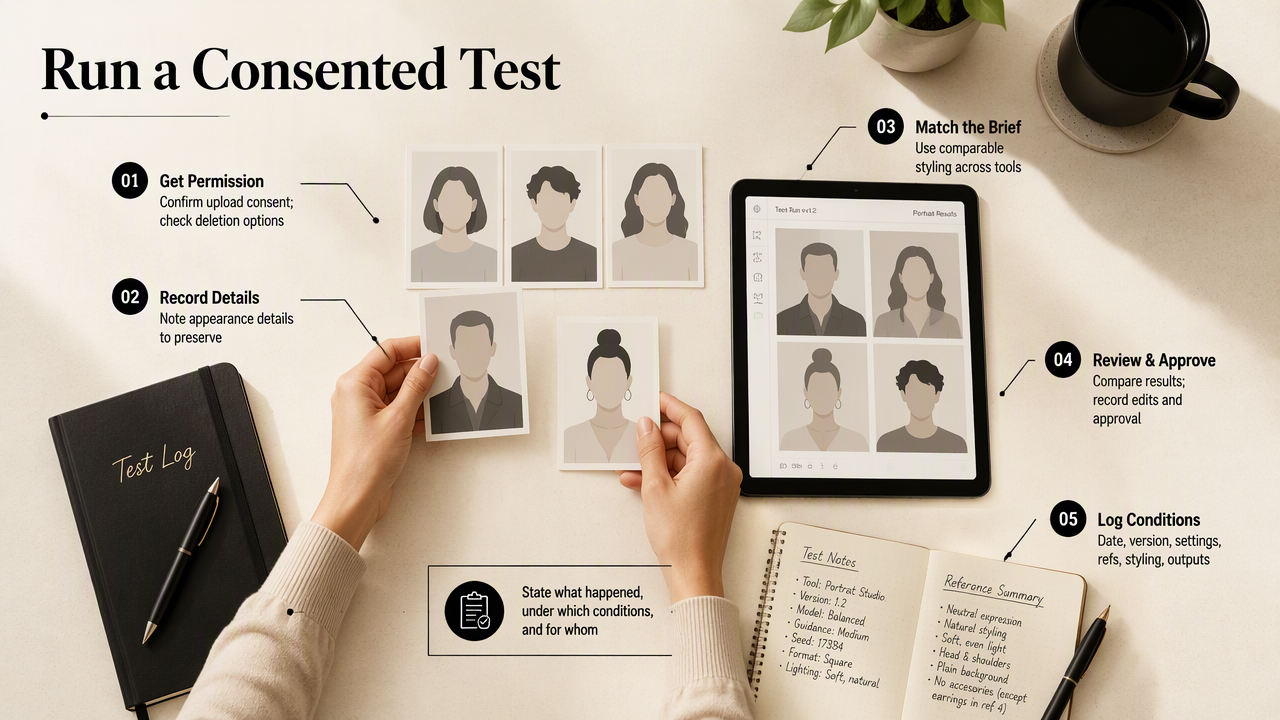
- Obtain permission for upload and evaluation.
- Record appearance details to preserve.
- Submit comparable briefs.
- Review every result against the references.
- Record requested edits and final approval.
- Check deletion options before ending the test.
Record observations rather than inclusivity claims
A test report should state what happened, under which conditions, and for whom. Record the test date, product version when visible, settings, reference images, requested styling, and number of outputs reviewed.
Useful observations include whether glasses remained unchanged, an outfit instruction survived, or the subject approved a particular portrait. These results describe that session; they don't prove how a tool performs for all nonbinary people.
An optional scorecard can assess facial resemblance, styling fidelity, professional suitability, and subject approval separately. A visually impressive result shouldn't compensate for an unapproved change to presentation.
Check privacy before sharing face images
Privacy review should cover retention, deletion, training use, public visibility, and access to uploaded photographs. Permission to display an existing headshot doesn't automatically establish permission to upload it to another service.
Nicola M. Döring, Thuy Dung Le, and Laura Marika Vowels' 2024 literature review of AI and human sexuality addresses a related but distinct field. It isn't evidence of headshot quality or nonbinary inclusion, and should not be treated as a product endorsement.
Evidence boundary: An approved portrait supports a narrow claim about that result. Broad inclusion claims require broader evidence.
FAQ: Choosing an identity-respecting headshot tool
The most useful buying questions concern individual control, recognizable likeness, and publication consent.
Does a nonbinary headshot need to look androgynous?
A nonbinary headshot doesn't need to look androgynous. Nonbinary describes gender identity, not a required haircut, outfit, or facial appearance. The appropriate styling is the person's chosen presentation for that setting. A professional portrait can be feminine, masculine, mixed, or neutral without making the person's identity less valid.
Should a prompt include the word nonbinary?
A prompt can include nonbinary when the person wants that context, but the label shouldn't replace concrete appearance instructions. Clothing, hairstyle, makeup, accessories, and expression provide clearer details to evaluate. Comparing a label-based prompt with a descriptive brief can reveal how that tool interprets the request during a specific test.
Can an AI portrait replace a photographer?
An AI portrait may suit some profile updates, but a photographer remains a strong option when direct control and an accurate record of appearance matter most. The choice depends on the assignment and the person's comfort with generated likenesses. Neither route automatically guarantees respectful representation; the brief and approval process still matter.
What should be checked before a LinkedIn upload?
Before a LinkedIn upload, check facial resemblance, hairstyle, glasses, teeth, clothing, and the appearance of the final crop. Confirm that the image communicates the intended professional role without introducing unapproved changes. The person pictured should approve the exact file being published, rather than an earlier preview or a different generated variation.
Conclusion
The best AI photo generator for nonbinary professionals is the one that meets an individual brief and earns the subject's approval. The next step is a small consented comparison, not a large purchase based on sample images. A professional can visit looktara.com to explore Looktara, prepare one precise styling brief, and review candidate portraits before updating a public profile.
Generated by EarlySEO.com