
A stiff corporate portrait can make you look dated before anyone reads your profile. In 2026, the strongest casual professional AI headshot style blends credibility with warmth: clean lighting, relaxed posture, smart-casual clothing, and editing that still looks like you. If you're updating LinkedIn, a portfolio, a resume, or a dating profile, that balance matters. Tools like The Looktara Lens make that process faster, but the real difference comes from choosing the right style inputs before you generate anything.
What "casual professional" actually means in an AI headshot
The phrase sounds simple, but it's often misread. Business casual is commonly described as an ambiguous Western dress code that sits between formal business wear and smart casual clothing, which is why many AI headshots miss the mark and swing too formal or too relaxed. For a headshot, that middle ground usually means polished basics, softer styling, and an approachable expression rather than a boardroom look.
A casual professional headshot should still signal competence. You want viewers to think you're organized, current, and easy to talk to. That applies across use cases: job seekers, founders, freelancers, creators, and remote workers all benefit from an image that feels human instead of overly airbrushed.
Key takeaway: casual professional is not "sloppy." It's polished with less rigidity, less heavy retouching, and more personality.
Quick style markers that define the look
| Element | Casual professional choice | Usually too formal | Usually too casual |
|---|---|---|---|
| Clothing | Knit top, blazer, button-down, clean blouse | Full suit with power tie | Hoodie, wrinkled tee |
| Expression | Soft smile, relaxed jaw | Stern corporate look | Big party-style grin |
| Background | Neutral office, soft studio, subtle indoor scene | Dark executive backdrop | Busy room or vacation setting |
| Pose | Straight posture with slight angle | Rigid passport pose | Slouching or exaggerated angle |
| Editing | Natural skin texture, balanced light | Glossy magazine retouch | Obvious filters |
Why this style performs better across platforms
Competitor pages focus heavily on "studio quality" results, but many skip context. Your headshot is rarely viewed in isolation. It sits next to your name, headline, job title, and profile copy. A softer professional image often works better on social-first platforms because it feels current and trustworthy.
If you're rebuilding your online presence, pair the image with matching visual assets such as a resume headshot generator for career branding or a LinkedIn post AI generator for profile content. That keeps your photo and messaging aligned instead of looking pieced together.
Quick style markers that define the look
| Element | Casual professional choice | Usually too formal | Usually too casual |
|---|---|---|---|
| Clothing | Knit top, blazer, button-down, clean blouse | Full suit with power tie | Hoodie, wrinkled tee |
| Expression | Soft smile, relaxed jaw | Stern corporate look | Big party-style grin |
| Background | Neutral office, soft studio, subtle indoor scene | Dark executive backdrop | Busy room or vacation setting |
| Pose | Straight posture with slight angle | Rigid passport pose | Slouching or exaggerated angle |
| Editing | Natural skin texture, balanced light | Glossy magazine retouch | Obvious filters |
Why this style performs better across platforms
Competitor pages focus heavily on "studio quality" results, but many skip context. Your headshot is rarely viewed in isolation. It sits next to your name, headline, job title, and profile copy. A softer professional image often works better on social-first platforms because it feels current and trustworthy.
If you're rebuilding your online presence, pair the image with matching visual assets such as a resume headshot generator for career branding or a LinkedIn post AI generator for profile content. That keeps your photo and messaging aligned instead of looking pieced together.
The visual ingredients that make AI headshots look modern, not synthetic
Most bad AI headshots fail for the same reasons: plastic skin, mismatched lighting, strange clothing folds, and backgrounds that look expensive but fake. Research on computational aesthetic evaluation points to the complexity of judging image quality and visual appeal, which helps explain why "pretty" is not enough for a usable professional image. The survey by Zhang, Miao, and Yu (2021) covers the challenge of measuring aesthetics consistently across images.
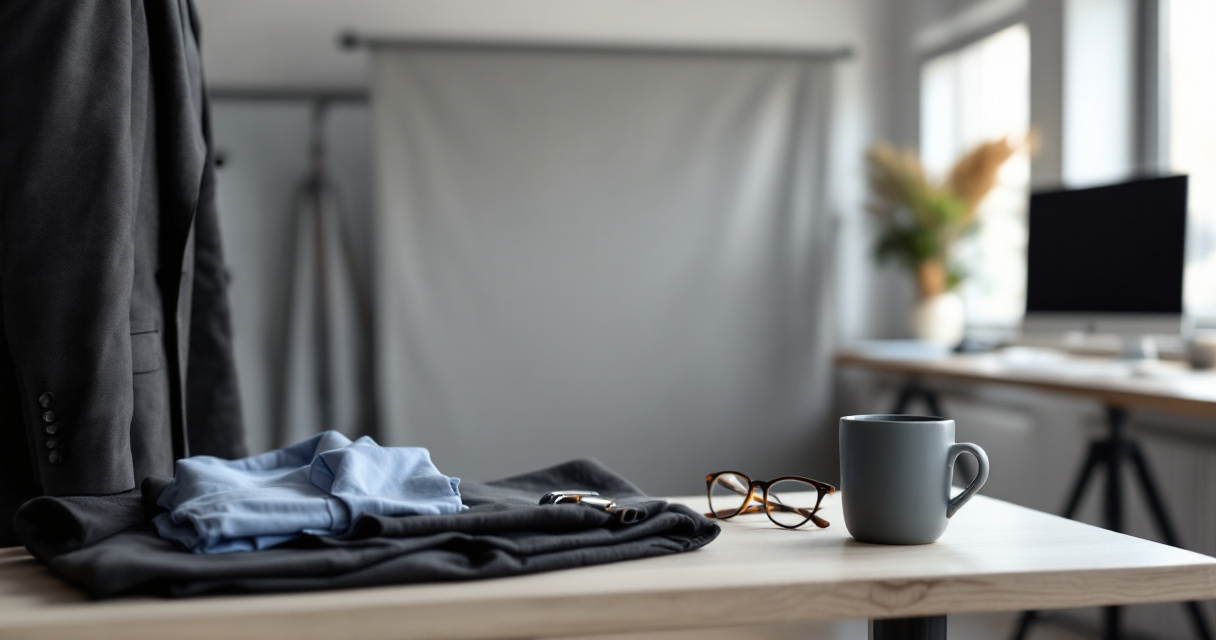
In practice, the best casual professional images share a few traits:
- even, soft light across the face
- realistic skin texture
- clear eye detail without oversharpening
- wardrobe that fits your actual industry
- simple backgrounds with depth, not clutter
- color grading that stays close to natural tones
Clothing and color choices that survive AI generation
Solid colors usually render better than busy patterns. Mid-tone blues, greens, cream, charcoal, and muted earth tones are safer than neon or high-contrast prints. If your field is conservative, add structure with a blazer. If you work in tech, design, or content, a neat knit or open-collar shirt often feels more current.
Women and men both benefit from avoiding extreme shine and stiff fabrics. AI systems tend to exaggerate reflections, wrinkles, and jewelry details.
Backgrounds and crops that feel believable
A believable backdrop matters more than many users expect. Neutral office textures, soft window light, or clean studio gradients usually outperform luxury penthouse scenes. Crop from mid-chest to just above the head for LinkedIn and resume use. Wider crops can work for speaker bios or team pages, but they often lose clarity in thumbnails.
Good AI headshots look edited, not invented. If the setting or styling feels unlike your real life, viewers notice.
For entrepreneurs building a full visual identity, it also helps to create matching brand pieces, such as a logo concept with AI support or a website hero visual generator.
Clothing and color choices that survive AI generation
Solid colors usually render better than busy patterns. Mid-tone blues, greens, cream, charcoal, and muted earth tones are safer than neon or high-contrast prints. If your field is conservative, add structure with a blazer. If you work in tech, design, or content, a neat knit or open-collar shirt often feels more current.
Women and men both benefit from avoiding extreme shine and stiff fabrics. AI systems tend to exaggerate reflections, wrinkles, and jewelry details.
Backgrounds and crops that feel believable
A believable backdrop matters more than many users expect. Neutral office textures, soft window light, or clean studio gradients usually outperform luxury penthouse scenes. Crop from mid-chest to just above the head for LinkedIn and resume use. Wider crops can work for speaker bios or team pages, but they often lose clarity in thumbnails.
Good AI headshots look edited, not invented. If the setting or styling feels unlike your real life, viewers notice.
How to prompt for a casual professional AI headshot without getting uncanny results
Prompting matters, but specificity matters more. Competitor content often shares generic prompt ideas without explaining why they work. A strong prompt should define wardrobe, mood, framing, lighting, age realism, and background, while avoiding overblown cinematic terms that push the image into ad-style territory.
Recent multimodal model research, including Gemini 1.5 (2024), shows how advanced systems can handle rich visual and textual context. For users, that means better output when your instructions are concrete and consistent.
A simple prompt structure you can adapt
- Start with identity cues: age range, gender presentation if relevant, hair, skin tone, glasses, facial hair.
- Add the intended vibe: approachable, confident, relaxed, credible.
- Define wardrobe: business casual blazer, knit top, open-collar shirt, simple jewelry.
- Set lighting and crop: soft natural light, chest-up framing, camera-level view.
- Choose background: neutral office, soft studio gray, warm indoor blur.
- Add restraint: natural skin texture, minimal retouching, realistic proportions.
Sample prompt framework
- casual professional AI headshot, approachable expression, soft smile, direct eye contact
- business casual outfit in muted neutral colors
- chest-up composition, soft natural lighting, realistic skin texture
- clean blurred office or studio background
- polished but authentic, not glamour retouched, not overly corporate
You should also set a few negative constraints:
- no extra fingers or distorted hands
- no heavy makeup effect unless requested
- no dramatic cinematic shadows
- no oversized teeth whitening
- no luxury office fantasy background
The easiest way to improve consistency is to upload multiple source photos with similar lighting and angles. Using The Looktara Lens for repeat headshot variations can help when you want one style family for LinkedIn, team pages, and creator bios instead of one lucky image.
A simple prompt structure you can adapt
- Start with identity cues: age range, gender presentation if relevant, hair, skin tone, glasses, facial hair.
- Add the intended vibe: approachable, confident, relaxed, credible.
- Define wardrobe: business casual blazer, knit top, open-collar shirt, simple jewelry.
- Set lighting and crop: soft natural light, chest-up framing, camera-level view.
- Choose background: neutral office, soft studio gray, warm indoor blur.
- Add restraint: natural skin texture, minimal retouching, realistic proportions.
Sample prompt framework
- casual professional AI headshot, approachable expression, soft smile, direct eye contact
- business casual outfit in muted neutral colors
- chest-up composition, soft natural lighting, realistic skin texture
- clean blurred office or studio background
- polished but authentic, not glamour retouched, not overly corporate
You should also set a few negative constraints:
- no extra fingers or distorted hands
- no heavy makeup effect unless requested
- no dramatic cinematic shadows
- no oversized teeth whitening
- no luxury office fantasy background
Common mistakes that make a casual headshot look off-brand
The biggest mistake is chasing perfection instead of recognition. If colleagues can't tell it's you, the image fails, even if it looks expensive. That matters more now because audiences are increasingly aware that profile images may be AI-assisted.
Research on data production and human labor behind AI systems, such as Miceli and Posada (2022), is a useful reminder that AI images are outputs of large data systems, not neutral magic. So, careful human review still matters.
Red flags to check before you publish
- skin that looks waxy or poreless
- asymmetrical glasses or earrings
- teeth, eyes, or hairline that don't match real life
- clothing details that melt into the background
- body proportions that shift unnaturally
- expression that feels too intense for your field
Match the image to the platform, not just the trend
A founder's profile photo can be slightly more styled than a corporate recruiter's. A dating profile can be warmer and less neutral than a resume photo. A creator may want more personality in color and background. The same base image does not need to serve every channel.
That's where a broader asset workflow helps. You can use one headshot style across a pitch deck slide design workflow, a YouTube thumbnail generator for personal brand content, or profile-supporting social visuals, while adjusting tone by platform.
Rule of thumb: if your AI headshot looks better than you look on your best day, people may distrust it. Aim for a polished version of real, not a replacement for real.
Red flags to check before you publish
- skin that looks waxy or poreless
- asymmetrical glasses or earrings
- teeth, eyes, or hairline that don't match real life
- clothing details that melt into the background
- body proportions that shift unnaturally
- expression that feels too intense for your field
Match the image to the platform, not just the trend
A founder's profile photo can be slightly more styled than a corporate recruiter's. A dating profile can be warmer and less neutral than a resume photo. A creator may want more personality in color and background. The same base image does not need to serve every channel.
That's where a broader asset workflow helps. You can use one headshot style across a pitch deck slide design workflow, a YouTube thumbnail generator for personal brand content, or profile-supporting social visuals, while adjusting tone by platform.
What to expect from casual professional AI headshots in 2027
The next step is not just sharper faces. It's better consistency across a full identity set: headshot, banner, profile content, bio graphics, and short-form video covers that all look like the same person and brand. That's where this category is heading.
You'll likely see three changes:
- More controlled identity matching. Systems will get better at preserving your real facial features across multiple outputs.
- Stronger context awareness. Rather than a single portrait, tools will generate profile-ready variations for LinkedIn, resumes, speaker pages, and creator platforms.
- Tighter brand kits. Users will expect a headshot to connect with social visuals, banners, and website imagery in one workflow.
For that reason, the best choice in 2026 is not just a one-off generator. It's a workflow that helps you build a coherent profile across channels. The The Looktara Lens platform fits well here because your headshot often needs companion assets, from profile posts to visual branding.
A practical checklist before you generate your next image
- collect 6 to 12 clear source photos in natural light
- decide on one target use first, such as LinkedIn or resume
- choose one wardrobe direction, not five mixed styles
- write a prompt that stresses realism and minimal retouching
- review details at full size before publishing
- test the image as a small thumbnail, where most people will see it first
A casual professional AI headshot works best when it looks current, believable, and easy to trust. That's a higher standard than "nice picture," but it's the standard that actually helps your profile perform.
A practical checklist before you generate your next image
- collect 6 to 12 clear source photos in natural light
- decide on one target use first, such as LinkedIn or resume
- choose one wardrobe direction, not five mixed styles
- write a prompt that stresses realism and minimal retouching
- review details at full size before publishing
- test the image as a small thumbnail, where most people will see it first
Conclusion
Your best casual professional AI headshot style should make someone think, "this person looks credible and easy to work with." That means clean light, realistic editing, smart-casual clothing, and a prompt built around authenticity, not fantasy. If you want a faster way to create a polished image set and keep your branding consistent across channels, start with The Looktara Lens and then support that photo with matching assets like LinkedIn content, resume visuals, and brand graphics. Pick one use case today, generate two or three restrained variations, and choose the image that still feels the most like you.
Generated by EarlySEO.com