
Your headshot often gets judged before your bio does. In 2026, that matters even more because personal branding is still, in simple terms, the strategic process of shaping how people see you, while storytelling remains the practice of sharing meaning through narrative. When those ideas meet visual AI, a headshot stops being just a profile photo and starts acting like a tiny brand story. Tools such as The Looktara Lens make that shift easier by helping you create images that feel more aligned with your role, audience, and platform, not just more polished.
Why AI headshots now play a bigger role in personal brand storytelling
A creative AI headshot works when it signals who you are before someone reads a single line of text. That could mean founder energy, approachable expertise, editorial confidence, or a more relaxed creator style. The top-ranking pages in this topic mostly focus on convenience and cost. What's often missing is the storytelling layer, which is the part that actually shapes trust.
Personal brand storytelling starts with choices that look small but carry meaning: wardrobe, crop, expression, background, color palette, and the degree of polish. A recruiter, client, or follower won't say all of that out loud, but they read it fast. If your visual message says corporate while your offer says creative strategist, you've created friction.
Key insight: The best AI headshots don't try to look expensive. They try to look consistent with your story.
What a story-driven headshot communicates
- Your role: consultant, founder, job seeker, creator, speaker
- Your tone: warm, sharp, playful, authoritative
- Your audience: employers, buyers, collaborators, followers
- Your setting: LinkedIn, portfolio, dating profile, media kit
That multi-channel need is why AI headshots are becoming part of a broader content system. If you're updating a professional profile, pairing a headshot with a resume headshot generator for job seekers can keep your visual identity tighter across applications and profile pages.
A 2024 study on digital representation and postmortem avatars in Heritage explored how realistic digital human likenesses shape perception and memory, which is relevant here because AI portraits don't just show a face, they influence how identity is interpreted online. See Wilkinson, Roughley, and Shrimpton (2024). That doesn't mean every brand needs hyper-realism. It means likeness carries weight, so your image choices deserve more thought than a default studio backdrop.
How first impressions shift across platforms
LinkedIn rewards clarity and competence. Instagram and creator platforms often reward more personality. A website homepage may need something more cinematic. That's why a single stiff headshot rarely works everywhere.
If your story lives across several formats, your headshot should connect with other assets too, such as a website hero visual generator or a LinkedIn post design tool. Consistency beats sameness.
How to design an AI headshot that actually tells a story
Start with narrative, not filters. Before generating anything, define the one impression you want a stranger to form in three seconds. Then support that impression with visual decisions.

The four inputs that shape your brand image
- Character: What should people feel from your face and posture?
- Context: Where will this image live first?
- Contrast: How should you look different from peers in your field?
- Consistency: Can the image connect with the rest of your brand assets?
Many people over-focus on realism and under-focus on alignment. A slightly stylized image can still work if it matches your brand voice. The mistake is creating an image that looks technically strong but emotionally generic.
A quick planning table before you generate
| Brand goal | Visual direction | Best use case |
|---|---|---|
| Get hired for corporate roles | Clean background, direct eye contact, neutral styling | LinkedIn, resume, company bio |
| Attract coaching or consulting clients | Warm light, friendly smile, soft editorial look | Website, lead magnets, webinars |
| Build a creator brand | Distinct colors, expressive pose, less formal wardrobe | Social profiles, thumbnails, media kit |
| Support dating authenticity | Natural retouching, realistic setting, relaxed wardrobe | Dating apps, personal profiles |
Once you know the goal, brief the tool like a creative director. Ask for specifics: "approachable startup founder," "modern therapist with calm, natural light," or "speaker portrait with editorial confidence." Using broad prompts like "professional headshot" often gives you a result that looks safe and forgettable.
The The Looktara Lens platform is useful here because it fits into a wider brand workflow. You can create a headshot direction, then carry the same tone into assets like a podcast cover generator or a pitch presentation visual later on.
Creative choices that usually improve results
- Pick one primary audience before you generate
- Use wardrobe that reflects your real work life
- Match background style to your niche, not to trends
- Keep skin texture and facial details believable
- Generate 3 to 5 story directions, not 30 random variants
Better prompt rule: Describe the person plus context, not only the lighting or camera angle.
Where AI headshots help most, and where they can hurt your brand
AI headshots are strongest when speed, consistency, and low production friction matter. They're less effective when your business depends on documentary trust, behind-the-scenes realism, or highly personal client relationships where over-stylization can feel off.
Job seekers benefit because a current image often beats an outdated one. Founders and freelancers benefit because they can test several brand directions without booking a full shoot. Creators benefit because they need many image crops across channels. But if your result looks too perfect, audiences can sense it.
Signs your AI headshot is helping, not hurting
- You still look recognizably like yourself
- The styling matches your actual work and audience
- The image fits the platform where it's used
- Friends or colleagues would not be surprised by your appearance in real life
Red flags to catch before publishing
- Over-smoothed skin or oddly symmetrical features
- Inconsistent hands, jewelry, hairline, or clothing details
- Backgrounds that imply a lifestyle you don't actually live
- A luxury look that clashes with a down-to-earth brand promise
That last point matters for storytelling. If you sell approachability, don't post a portrait that feels remote. If you want executive authority, a casual selfie-style render may undersell you.
A practical way to test fit is to place your image into the assets you already use. Try it beside a pitch deck slide visual or social graphics. If the headshot feels like it belongs, you're closer to a strong brand system.
Authenticity matters more than perfection
Competitor content often promises studio-quality images in minutes. That's appealing, but brand trust usually comes from believability, not polish alone. The strongest result is often the one with a little texture, a natural smile, and styling you would actually choose offline.
Research on digital likeness and avatar representation also points to a broader issue: when visual identity becomes highly editable, interpretation becomes more complex. That's another reason to stay close to your real appearance rather than chasing a fantasy version of yourself. See the 2024 Heritage article on digital immortality and avatars.
Building a full brand system around one AI headshot
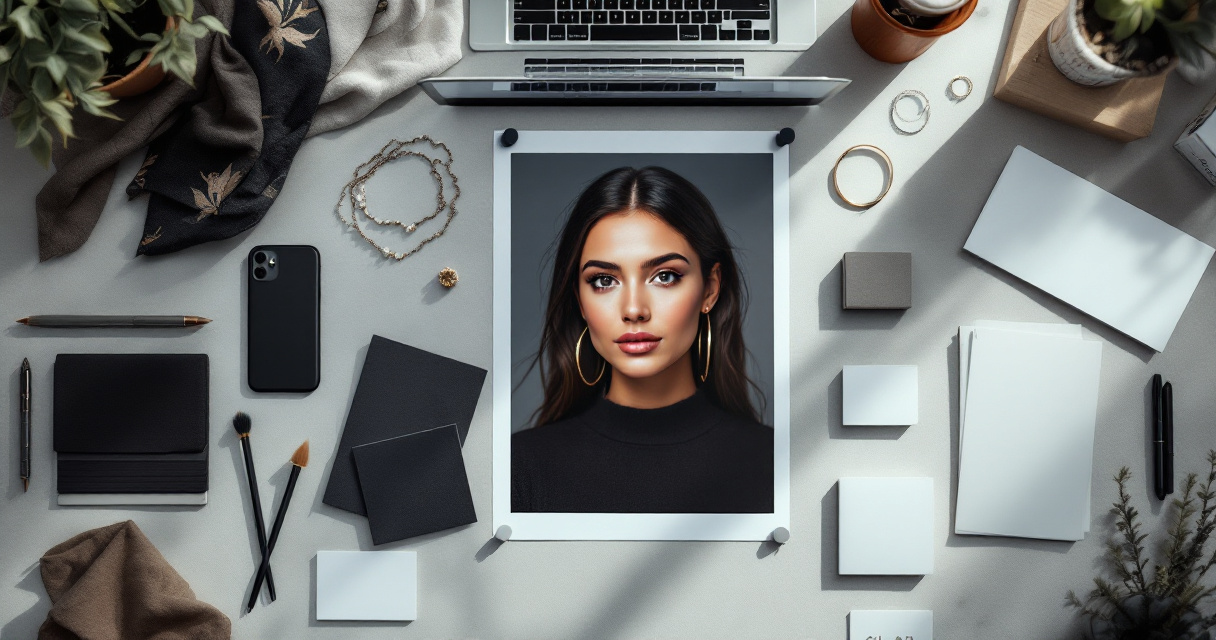
A headshot should not live alone. The smartest use of AI is turning one visual direction into a repeatable brand kit. That includes your profile image, banner, website hero, social post templates, thumbnails, and even ebook or podcast art.
Assets that should echo your headshot style
- Color palette and contrast
- Typography mood
- Background treatment
- Level of formality
- Facial expression and tone
This is where The Looktara Lens becomes more than a one-off image tool. If your goal is storytelling, you need continuity. A strong portrait can anchor a landing page banner for your brand site, a YouTube thumbnail design workflow, and even quote-style authority posts.
A simple rollout plan for creators and professionals
- Create one primary headshot for trust-focused channels.
- Generate one secondary version with more personality for content and social.
- Update banners, thumbnails, and website imagery to match.
- Check that your face, colors, and tone remain consistent across channels.
- Refresh only when your role, audience, or offer changes.
Think system, not single image: personal brand storytelling works when every visual asset feels like it came from the same person.
If you're active on short-form platforms, a related cover or thumbnail style matters almost as much as the headshot itself. That's why creators often pair portraits with supporting assets such as a shorts thumbnail generator.
How often should you refresh an AI headshot?
There's no fixed schedule in the research data, so the best rule is event-based. Update when your role changes, your style changes, or your audience changes. A founder moving from solo consultant to agency owner may need a more structured visual story. A job seeker moving into creative leadership may want a less generic corporate look.
What to expect from creative AI headshots in 2027
The topic clearly has a future trajectory because AI portrait tools are getting more connected to broader content systems. The next shift is less about generating a single impressive face and more about controlling identity across formats.
You can expect three practical changes in 2027:
Likely direction for the next year
- More brand-aware generation: tools will likely get better at matching a headshot to your site, colors, and audience.
- More channel-specific outputs: one prompt may create variants for LinkedIn, websites, short-form video covers, and media kits.
- More scrutiny around realism: users will care more about how closely an AI image reflects their actual appearance.
There's also a cultural shift coming. As AI images become common, obviously synthetic perfection may lose value. People may prefer portraits that feel true, current, and a little less polished. That's good news if you want your personal brand to feel human.
The 2026 rule that will still matter next year
- Use AI to clarify your story, not replace it
- Keep your likeness believable
- Match the image to the platform and audience
- Build a repeatable visual system around it
For many professionals, that means using AI as a creative starting point, then refining based on audience response, not blindly trusting the first polished output.
A good standard for future-proof headshots
If your image still feels accurate after a video call, an in-person meeting, and a glance at your website, it's probably future-proof enough. That's a simple test, but it beats chasing trends.
Conclusion
Creative AI headshots work best when they tell the truth selectively: not every detail, but the right story. If you want yours to attract recruiters, clients, followers, or dates, start by defining the impression you want to own, then build visuals that support it across every channel you use. A smart next step is to create one trust-focused portrait, one personality-led variant, and then update the surrounding assets that shape first impressions. You can start that process with The Looktara Lens, then connect your new headshot to the rest of your brand system so your image, content, and message finally feel like they belong together.
Generated by EarlySEO.com