
One good profile photo isn't enough anymore: LinkedIn, creator platforms, dating apps, pitch decks, and personal websites all reward a different visual tone. With The Looktara Lens, you can turn one strong reference image into multiple polished styles, then pair those images with assets like a professional resume headshot when your profile needs to look job-ready.
Build a Prompt System Before You Generate Any Photos
Random prompts create random results. A better approach is prompt engineering, which means structuring natural language instructions so a generative AI model produces a specific output. For profile photos, that structure matters because you need the image to look like you, fit the platform, and avoid awkward AI artifacts.
A 2023 GPT-4 Technical Report reflects why clearer instructions matter when working with advanced AI systems. The same principle applies to image models: vague requests like "make me professional" usually produce generic portraits, while detailed prompts guide clothing, background, lens, lighting, and mood.
Key insight: Treat each profile photo prompt like a creative brief, not a caption. The model needs identity cues, purpose, visual style, and quality controls.
Start with one clean reference photo. Use even lighting, a natural expression, no sunglasses, and a simple background. If the tool allows multiple source images, include a front-facing shot, a slight angle, and one smiling image. Don't upload photos with heavy filters, extreme shadows, or group crops.
Your prompt should include five parts:
- Identity anchor: age range, hair, face shape, skin tone, facial hair, glasses, or other visible traits
- Use case: LinkedIn, founder bio, dating app, creator avatar, podcast guest page
- Visual style: studio headshot, candid outdoor portrait, editorial, cinematic, lifestyle
- Technical details: lens feel, lighting, background, framing, aspect ratio
- Negative prompt: avoid extra fingers, distorted eyes, plastic skin, fake logos, over-smoothing
The The Looktara Lens platform is useful here because it keeps the process focused on profile and brand imagery rather than making you start from a blank prompt box every time.
A Reusable Profile Photo Prompt Formula
Use this base formula, then change only the style block:
- Describe the person in plain language.
- State the profile purpose.
- Add the setting and clothing.
- Specify lighting, framing, and camera feel.
- Add a negative prompt for common AI errors.
Example:
Create a realistic profile photo of the person in the reference image, keeping facial identity consistent. Style: modern LinkedIn headshot. Outfit: navy blazer over a white shirt. Setting: soft gray studio background. Lighting: natural, soft, flattering. Framing: shoulders up, eye-level camera, 85mm portrait lens look. Expression: confident, approachable smile. Avoid: distorted features, waxy skin, extra teeth, unrealistic eyes, fake text, logos.
Match Each Photo Style to the Platform and Goal
A dating app photo should not look like a corporate badge photo. A founder profile should feel more intentional than a casual selfie. The best AI profile photo sets use the same face across styles but change the context around it.
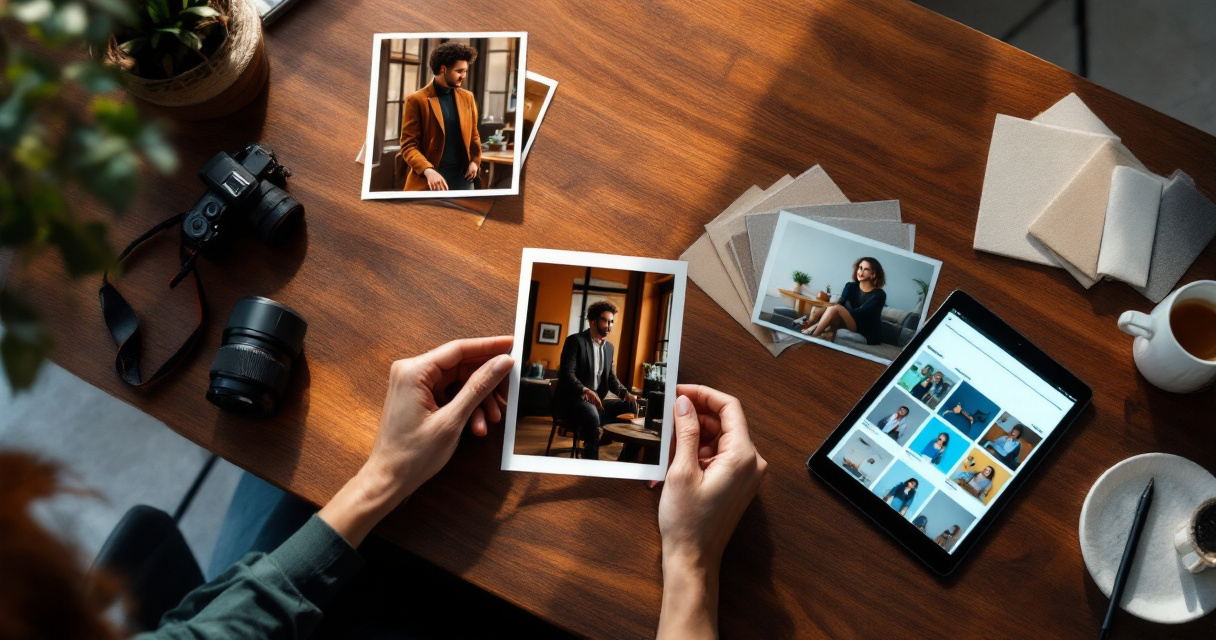
Research on generative AI in work settings, such as the 2023 Human Resource Management Journal article on ChatGPT and HR, shows that AI is now part of how professionals think about career communication and hiring workflows. That makes your profile visuals part of your broader professional signal, especially when recruiters, clients, or collaborators see you before they speak to you.
Profile Photo Style Matrix for Common Use Cases
| Use case | Best style | Prompt direction | Avoid |
|---|---|---|---|
| Studio headshot | Neutral background, blazer, soft smile, eye-level framing | Overly dramatic lighting | |
| Founder bio | Editorial portrait | Clean office, confident posture, modern outfit | Stock-photo stiffness |
| Freelancer profile | Warm lifestyle | Desk, laptop, natural window light | Messy background |
| Creator avatar | Bold social portrait | Color backdrop, expressive pose, high contrast | Unrecognizable face changes |
| Dating app | Authentic candid | Outdoor cafe, relaxed clothing, real smile | Corporate or airbrushed look |
| Speaker page | Premium stage portrait | Dark clean background, directional light | Fake microphones or text |
For LinkedIn, keep the prompt plain and credible. If you're also building supporting career content, pair your headshot set with a polished LinkedIn post visual generator so your profile image and content style feel connected.
For entrepreneurs, generate at least three brand-safe versions: a headshot, a website hero portrait, and a social avatar. A strong profile image can sit beside a website hero image without feeling mismatched.
For dating apps, ask for "natural skin texture," "casual expression," and "realistic outdoor lighting." Skip luxury cars, fake travel scenes, and exaggerated beauty edits. People can spot overproduced AI photos fast.
Use Prompt Variations to Create a Cohesive Photo Set
Once you have one solid prompt, don't rewrite everything. Keep the identity anchor and quality instructions the same, then swap the style block. This creates variety without making the person look different in every image.
Best practice: Change one major variable at a time: background, outfit, lighting, or mood. If you change all four, the model may drift away from your real appearance.
A practical set includes six to ten outputs. Generate more than you need, then choose the most believable ones. Look for consistent eye shape, natural skin texture, realistic teeth, and clothing that doesn't melt into the background.
Copy-Paste Prompt Variations for Multiple Styles
- Corporate headshot:
Realistic professional headshot, charcoal blazer, light neutral background, soft studio lighting, shoulders-up crop, confident friendly expression, natural skin texture. - Startup founder portrait:
Editorial portrait in a modern workspace, smart casual outfit, soft daylight, relaxed confident posture, clean background, premium but approachable tone. - Creative creator avatar:
High-quality social media portrait, bold colored background, stylish casual outfit, crisp lighting, expressive but natural smile, sharp facial detail. - Dating app candid:
Authentic outdoor portrait at a cafe, relaxed clothing, warm natural light, genuine smile, shallow depth of field, not overly posed. - Speaker profile:
Professional speaker portrait, dark minimal background, subtle rim light, confident expression, polished outfit, cinematic but realistic. - Remote worker profile:
Natural home office portrait, clean desk, laptop in soft blur, friendly expression, window light, realistic everyday style.
Using The Looktara Lens helps you test these directions faster because the goal isn't just one nice image. You want a usable library for profiles, posts, thumbnails, and brand pages.
Quality Checks Before You Publish
Before uploading any AI-generated profile photo, review it at full size and thumbnail size. Many images look fine large but fail when cropped into a tiny circle.
Check for:
- Face still looks like you, not a better-looking stranger.
- Eyes point in the same direction.
- Teeth, earrings, collars, and glasses look normal.
- Background has no fake words or warped objects.
- Skin texture looks human, not plastic.
- Crop works in square, circle, and vertical formats.
If you're creating creator assets, test how the same photo works next to a YouTube thumbnail design or profile banner. A good headshot should survive different layouts without losing recognition.
Avoid the AI Profile Photo Mistakes That Break Trust
The fastest way to make an AI profile photo feel fake is to over-style it. Hyper-smooth skin, luxury hotel backgrounds, perfect hair, and cinematic lighting can look impressive, but they may hurt trust if the image doesn't match how you appear on video calls or in person.
For job seekers, keep edits conservative. Recruiters want a clear, current, professional image, not a fashion campaign. For founders, use brand polish without pretending your company is larger than it is. For dating, authenticity matters even more because the photo sets expectations for a real meeting.
Prompt Fixes for Common Bad Outputs
| Problem | Add this to the prompt | Why it helps |
|---|---|---|
| Face looks too perfect | natural skin texture, realistic pores, subtle imperfections |
Reduces plastic-looking results |
| Identity changes | keep facial identity consistent with reference image |
Reinforces likeness |
| Corporate image feels cold | warm approachable expression, soft natural lighting |
Adds friendliness |
| Dating photo looks staged | candid, relaxed, everyday setting, not studio |
Makes it feel real |
| Background has fake text | no text, no logos, clean background |
Prevents visual noise |
Negative prompts matter most when you generate batches. Add: avoid distorted hands, asymmetrical eyes, extra teeth, unnatural smile, warped glasses, fake text, heavy retouching, over-sharpened skin.
Don't use AI to misrepresent age, body type, or major features. Minor cleanup is fine. Creating a version of yourself that won't be recognized in real life is not.
Profile Photo Prompt FAQs and What to Expect in 2027
AI profile photos are moving from novelty to normal workflow. By 2027, expect better identity consistency, more realistic lighting control, and easier multi-platform export. The bigger challenge won't be generating images. It will be choosing images that feel credible, useful, and aligned with your personal brand.
If you create content across channels, keep one visual language. Your profile photo, short-form covers, and social posts should feel related. For example, a creator can match their portrait style with a TikTok cover generator or build a softer visual theme with a Pinterest pin generator.
Answers to Common AI Profile Photo Questions
How many source photos should I use? Use three to eight clear images if your tool supports references. Include different angles, but avoid old photos or heavy filters.
What prompt makes the most realistic profile photo? Ask for a "realistic portrait," "natural skin texture," "soft light," "eye-level camera," and "clean background." Avoid words that push fantasy or fashion-ad styling unless that matches your goal.
Can I generate LinkedIn and dating photos from the same base image? Yes, but don't use the same final style. LinkedIn needs credibility and clarity. Dating photos need warmth, everyday settings, and a less formal expression.
Should I mention camera lenses in prompts?
Yes, simple lens language helps. Try 85mm portrait lens look for headshots or 35mm lifestyle photo for candid scenes.
Are AI profile photos acceptable for work? Usually, yes, if they look like you and don't mislead. Keep them current, realistic, and consistent with how you appear professionally.
Simple rule: If you'd feel awkward explaining the photo on a video call, regenerate it with a more natural prompt.
Conclusion
Create your first set today by choosing one reference image, writing one identity-safe base prompt, and generating five styles: LinkedIn, founder, creator, candid, and speaker. Save the best versions, test them as small circular crops, and only publish the images that still look like you.
For a faster workflow, try The Looktara Lens and build a profile photo set that matches your career, brand, and social goals. Start with one professional headshot, then expand into platform-specific visuals so every profile feels intentional, current, and recognizably yours.
Generated by EarlySEO.com