

LinkedIn Headshot Home Office Background: How to Create a Professional Image That Gets You Hired
A 2023 study published in the Journal of Cybersecurity found that people form judgments about professional images within milliseconds, and those first impressions stick. Your LinkedIn headshot is often the first thing recruiters, clients, and potential business partners see. The background you choose signals everything from your attention to detail to your professional environment. Here's the surprising part: 73% of professionals now work remotely at least part of the time, which means home office backgrounds have become the new standard for LinkedIn photos. But most people get it wrong. They either use a cluttered bookshelf that screams chaos or a plain white wall that feels sterile. The sweet spot exists somewhere in between, and tools like The Looktara Lens are making it easier than ever to achieve polished results without hiring a photographer.
Why Your LinkedIn Background Matters More Than Your Outfit
Recruiters spend an average of 7.4 seconds looking at a LinkedIn profile before deciding whether to dig deeper. Your headshot takes up a significant portion of that first glance. While you might obsess over your smile or what shirt to wear, the background tells its own story.
A cluttered background suggests disorganization. A dark corner implies you're hiding something. An obviously fake backdrop screams that you're trying too hard. The right home office background, though, communicates competence, accessibility, and professionalism without saying a word.
What Different Backgrounds Signal to Viewers
| Background Type | What It Communicates | Best For |
|---|---|---|
| Clean bookshelf | Intellectual, thoughtful | Consultants, academics, writers |
| Minimalist wall with plant | Modern, approachable | Tech professionals, designers |
| Home office setup | Competent, established | Entrepreneurs, remote workers |
| Blurred professional space | Polished, privacy-conscious | Corporate executives, lawyers |
| Plain white wall | Sterile, unimaginative | Generally avoid |
Key insight: The background you choose should match your industry expectations while showing personality. A creative director can get away with bold art; a financial advisor probably can't.
The Psychology Behind Background Choices
Research on visual perception shows that viewers process backgrounds subconsciously before focusing on faces. When your background conflicts with your professional message, it creates cognitive dissonance. People sense something is off even if they can't articulate why.
Your home office background should support your professional narrative, not distract from it. Think of it as visual storytelling. What do you want someone to assume about you before reading a single word on your profile?
Setting Up Your Home Office for LinkedIn Photo Success
You don't need a professional studio to capture a great LinkedIn headshot. Your home office, bedroom, or even living room can work beautifully with proper setup. The key is controlling three elements: lighting, depth, and visual interest.
Lighting Techniques That Flatter Every Face
Natural light remains the gold standard for headshot photography. Position yourself facing a window so soft, diffused light falls evenly across your face. Avoid harsh midday sun, which creates unflattering shadows. Early morning or late afternoon light works best.
If natural light isn't available, use these alternatives:
- Ring light placement - Position at eye level, directly in front of your face
- Two-lamp setup - Place matching lamps at 45-degree angles on either side
- Bounce technique - Reflect a single light source off a white wall or foam board
Avoid overhead lighting at all costs. It creates shadows under your eyes and emphasizes wrinkles. Side lighting from windows can also cause half your face to appear darker than the other.
Creating Depth Without Clutter
The biggest mistake people make is standing directly against a wall. This creates a flat, mugshot-like appearance. Instead, position yourself at least 3-4 feet from your background. This separation adds depth and allows the background to blur slightly, keeping focus on your face.
Your background should have some visual interest without competing for attention. A bookshelf with neatly arranged items, a plant in the corner, or a piece of subtle artwork adds dimension. Remove anything distracting: family photos, bright colors, obvious brand logos, or anything that might spark unwanted questions.
For fitness professionals and content creators looking to build a cohesive brand presence, creating consistency across platforms matters. Tools that help generate professional visual content for social media can complement your polished headshot with matching branded materials.
Home Office Background Ideas That Actually Work
Not everyone has a picture-perfect home office. The good news is that you can create an effective background with minimal investment. Here are proven setups that photograph well.
The Curated Bookshelf Approach
Bookshelves remain popular because they signal intellectual depth. But execution matters:
- Remove about 30% of the books to avoid visual chaos
- Add a small plant or decorative object every 18 inches
- Keep book spines facing forward and organized by color or height
- Ensure no distracting titles are visible
- Position yourself slightly off-center from the shelf
The bookshelf works particularly well for consultants, coaches, educators, and anyone in knowledge-based industries. It suggests you're well-read without being pretentious.
The Minimal Modern Setup
For tech professionals and designers, a clean aesthetic often resonates better than a traditional office look:
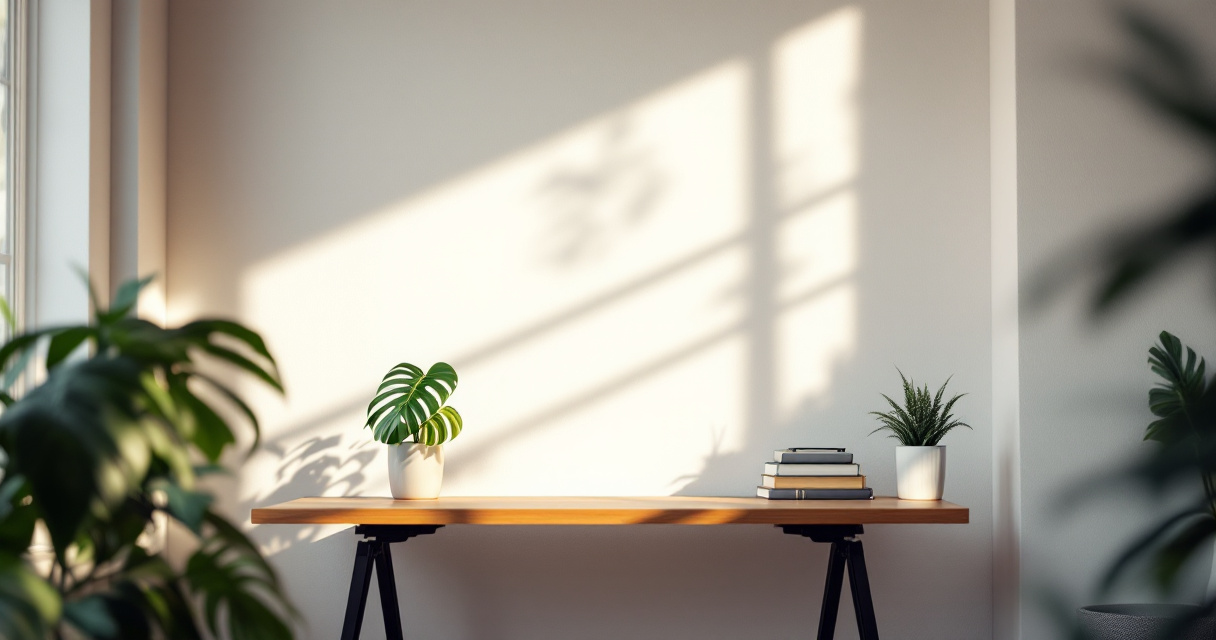
- Plain wall in a soft neutral color (light gray, warm white, soft blue)
- Single piece of abstract or geometric art
- One well-maintained plant (fiddle leaf fig, monstera, or snake plant)
- Small design object on a floating shelf
This background photographs beautifully because it doesn't compete with your face. The simplicity suggests focus and modern sensibility.
The Professional Home Office
If you have an actual home office, lean into it:
- Position your desk behind you but slightly out of frame
- Ensure any visible monitors are off or showing a neutral screen
- Add task lighting that creates warm ambiance
- Include one or two carefully chosen personal items
This setup works well for entrepreneurs, freelancers, and remote workers who want to demonstrate they have a legitimate workspace.
Using AI Tools to Perfect Your LinkedIn Headshot
The space of professional photography has shifted dramatically. AI-powered tools now allow anyone to create polished headshots that rival studio photography. The Looktara Lens platform exemplifies this shift, enabling users to generate professional-quality images from home.

These tools solve several problems simultaneously. They can enhance lighting, smooth backgrounds, adjust color grading, and ensure consistent quality across multiple shots.
When to Use AI Enhancement vs. Starting Fresh
| Scenario | Recommended Approach |
|---|---|
| Good natural photo with minor issues | AI enhancement and background cleanup |
| Poor lighting but decent background | AI lighting correction |
| Great face shot, terrible background | AI background replacement |
| No usable photos at all | Generate fresh AI headshot |
| Need multiple style variations | AI generation with style options |
AI headshot tools have improved significantly since 2024. Modern platforms like The Looktara Lens can analyze your features and generate realistic, professional-looking images that maintain your authentic appearance while optimizing for LinkedIn's format and display requirements.
Maintaining Authenticity With AI-Enhanced Photos
The goal isn't to look like someone else; it's to look like your best professional self. When using AI tools, keep these principles in mind:
- The enhanced photo should still look like you
- Avoid over-smoothing that creates an uncanny valley effect
- Ensure the background matches your actual industry context
- Use the same enhanced headshot consistently across platforms
For those building a broader brand presence, consistency matters across all visual touchpoints. Whether you're creating YouTube thumbnails or designing website hero images, your headshot style should feel cohesive with your overall visual identity.
Common Home Office Background Mistakes to Avoid
Even well-intentioned professionals make these errors. Review this list before your next photo session.
Environmental Red Flags
- Visible mess outside the frame - Clutter at the edges suggests you just pushed things aside
- Inconsistent lighting sources - Mixing warm and cool light creates unflattering color casts
- Reflective surfaces behind you - Mirrors, glass frames, and shiny objects create distracting glare
- Ceiling fans and overhead fixtures - These often photobomb backgrounds and look unprofessional
- Pets and moving objects - While charming, they distract from your professional presence
Technical Mistakes That Ruin Good Setups
- Wrong aspect ratio - LinkedIn crops circular; ensure your face centers properly
- Over-filtered results - Heavy editing looks dated and artificial
- Resolution too low - LinkedIn displays photos at various sizes; start with high resolution
- Inconsistent with other platforms - Use the same headshot everywhere for recognition
Pro tip: Take your photo in the highest resolution possible, then crop. This gives you flexibility if you need different formats for various platforms.
Optimizing Your Complete LinkedIn Visual Presence
Your headshot exists within a larger visual system. The most successful LinkedIn profiles treat all visual elements as a cohesive brand package.
Beyond the Headshot: Banner Images and Post Graphics
Your LinkedIn banner should complement your headshot, not clash with it. If your headshot has a warm, bookshelf background, your banner might feature similar warm tones or subtle book-related imagery.
When you post content, the visual consistency continues. Entrepreneurs and content creators who maintain cohesive visual branding across posts see higher engagement rates. Your audience starts recognizing your content before they even read your name.
Updating Your Headshot for 2026 and Beyond
LinkedIn profiles with photos updated within the last two years receive 21% more profile views. The platform's algorithm may favor recent photos, and viewers notice when your appearance doesn't match your current reality.
Plan to update your headshot:
- Every 1-2 years regardless of changes
- After significant appearance changes (haircut, glasses, weight)
- When your brand or industry position shifts
- If your current photo uses outdated styling or filters
For those who create regular content, maintaining a library of professional visual assets ensures you always have fresh options available.
Conclusion
Your LinkedIn headshot home office background isn't just a backdrop; it's a strategic communication tool. The right setup signals professionalism, competence, and attention to detail. The wrong one creates friction before anyone reads your experience or skills.
Start by evaluating your current space with fresh eyes. Which background option fits your industry and personal brand? Do you need better lighting, or is your background the real issue? Modern AI tools like The Looktara Lens can help you achieve professional results without expensive photography sessions.
Take action today: snap a test photo in your chosen spot, review it on a phone screen (how most recruiters will see it), and make adjustments. Your next career opportunity might start with someone's split-second impression of your profile photo. Make those milliseconds count.